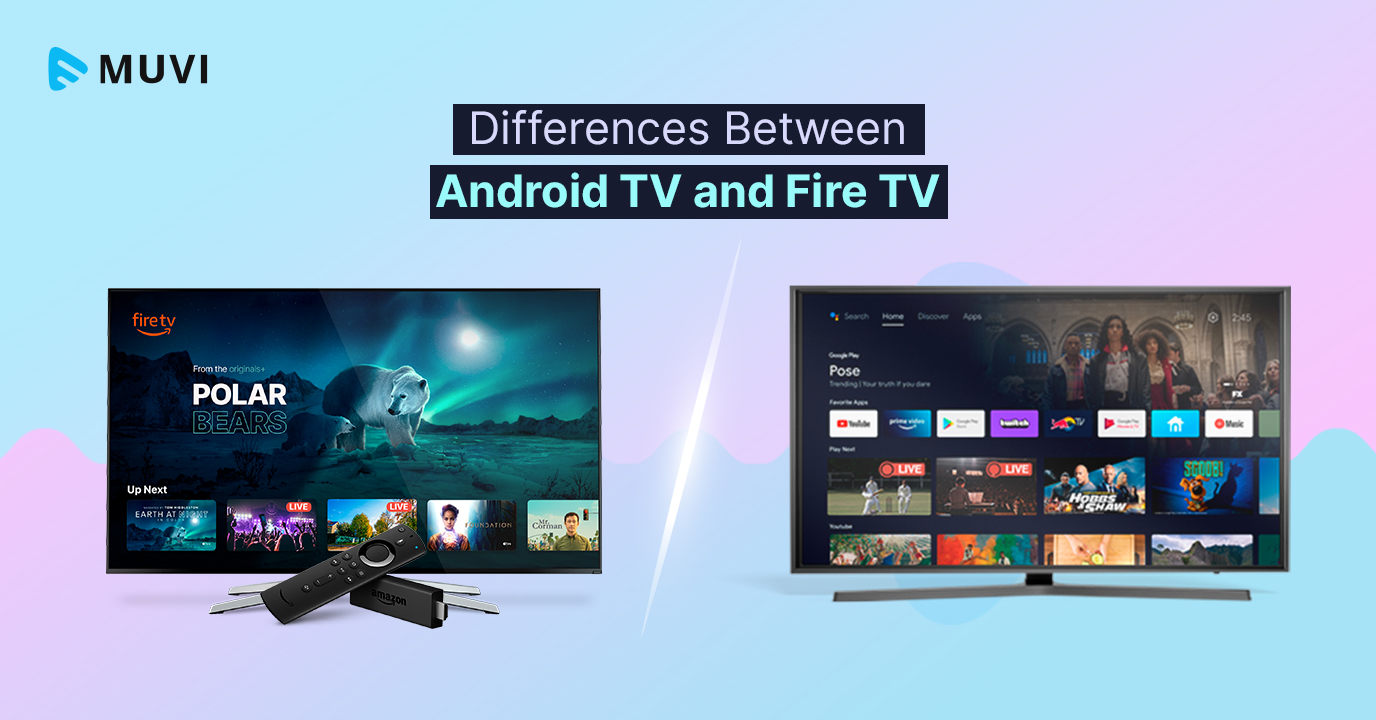
Android TV and Fire TV are both in high demand around the globe due to their several advantages, such as being easy to use, great compatibility, access to a wide pool of apps, advanced voice search, and other features.
Choosing between Google TV and Fire TV in 2026 involves more than comparing interfaces, streaming apps, and device prices. Both platforms have evolved significantly, introducing changes that affect how viewers discover content and how streaming businesses deliver it.
Amazon has begun shipping Fire TV devices powered by Vega OS, its Linux-based operating system, while Google is bringing Gemini AI to Google TV to make content discovery more conversational and personalized. If you’ve been comparing Android TV and Fire TV, you’ve probably seen dozens of articles listing features. But here’s the problem — most of them don’t actually help you decide.
Because in 2026, this comparison isn’t just about apps, UI, or voice assistants. It’s about ecosystems, content discovery, and distribution strategy.
Let’s break down Android TV vs Fire TV properly — from both a user and OTT business perspective.
What is Google TV, and how does it relate to Android TV?
Android TV is the operating system Google built for televisions, set-top boxes and streaming sticks. Google TV is the interface Google now ships on top of it. When you buy a TV from Sony, TCL or Hisense that says “Google TV”, it runs Android TV OS underneath with the Google TV home screen on top.
For viewers, the practical difference is the home screen. Older Android TV devices show rows of apps. Google TV shows content first: shows and films pulled from the apps you use, a Continue Watching row, and personal profiles.
For app developers, they are the same target. An app built for Android TV runs on Google TV devices and is published through the same Google Play Console. The current version is Android 16 for TV, which made Jetpack Compose for TV stable and added a Video Discovery API so apps can feed content into the home screen.
Also read: Google TV vs Android TV: A Comparative Guide
What is Fire TV in 2026: Fire OS and Vega OS
Fire TV is Amazon’s family of streaming sticks, the Fire TV Cube, and smart TVs with Fire TV built in. Since 2014 it has run Fire OS, Amazon’s own version of Android. That is now changing.
Amazon introduced Vega OS, a Linux-based operating system, with the Fire TV Stick 4K Select. Every new Fire TV Stick after that model is set to run Vega OS, while other Fire TV hardware, including smart TVs, continues on Fire OS. Fire OS itself is moving to Fire OS 16, based on Android 16.
Three things change on Vega OS devices:
- Android apps do not run natively. Apps must be rebuilt with Amazon’s Vega SDK, which uses React Native and web technologies.
- Only Amazon Appstore apps can be installed. Sideloading APK files is not possible.
- The interface looks the same. Amazon kept the familiar Fire TV home screen, so most viewers will not notice the switch.
Also read: What is Fire TV? How Fire TV Works
Android TV VS Fire TV: Key Differences:
User Experience: Google Discovery vs Amazon Ecosystem
This is the difference most people notice almost immediately — not in specs, but in how the TV feels to use.
Android TV:
With Android TV (especially the newer Google TV interface), the experience is built around content discovery. When you turn on the TV, you’re not just seeing apps — you’re seeing recommendations pulled from across platforms like YouTube, Netflix, and Prime Video. It’s designed to help you decide what to watch without jumping between apps.
Over time, it starts to feel more personal. The system learns what you watch and surfaces similar content, making the TV feel less like a device and more like a curated entertainment hub.
In a way, Android TV is constantly trying to answer: “What should you watch next?”
Fire TV:
With Fire TV, the experience is shaped heavily by Amazon’s ecosystem. The interface highlights Prime Video content prominently and includes sponsored placements and recommendations tied to Amazon’s services.
This doesn’t make it bad — in fact, it works well if you’re already invested in the Amazon ecosystem. But it does mean the experience feels a bit more guided, and sometimes more commercial.
Fire TV is essentially trying to answer: “What should you watch — within the Amazon ecosystem?”
Summary:
Android TV feels more open and content-driven, while Fire TV feels more ecosystem-driven, with stronger ties to a single platform.
Performance & Speed
Performance isn’t just about hardware — it’s about how responsive the TV feels in everyday use.
Android TV:
With Android TV, performance can vary depending on the device. On high-end TVs, everything runs smoothly — apps open quickly, navigation is fluid, and switching between content feels seamless. However, on budget devices, you might occasionally notice slight delays or slower load times.
Fire TV:
Fire TV, on the other hand, is tightly optimized for Amazon’s own hardware. This usually results in a more consistent experience across devices, especially in the mid-range category. That said, the interface itself can feel slightly heavier at times due to ads and content layers running in the background.
In practical terms:
- Android TV performs best on premium hardware
- Fire TV delivers more consistent performance across price ranges
App Ecosystem & Flexibility
One of the biggest differences between the two platforms comes down to app availability and flexibility.
Android TV:
Android TV gives you access to the Google Play Store, which means a much larger selection of apps — not just streaming services, but also games, utilities, and experimental apps. It also tends to be more developer-friendly, allowing for greater customization and faster updates.
Fire TV:
Fire TV, while still offering all major streaming apps, has a more controlled ecosystem through the Amazon Appstore. The focus here is on delivering a reliable streaming experience rather than offering a wide variety of apps.
For most users, both platforms cover the essentials. But if flexibility and app variety matter, Android TV clearly has the edge.
Casting & Connectivity
Casting is something many users rely on daily — whether it’s sharing videos, presentations, or quick content from a phone.
Android TV:
With Android TV, Chromecast is built right in. Casting from an Android device or Chrome browser is almost effortless — just tap a button and your content appears on the screen instantly.
Fire TV:
Fire TV supports screen mirroring as well, but the experience isn’t as seamless or widely supported as Chromecast. It works, but often with a few extra steps.
In everyday use, Android TV feels smoother and more intuitive for casting.
Voice Control: Google Assistant vs Alexa
Both platforms support voice control, but they serve slightly different purposes.
Android TV:
With Android TV, Google Assistant is deeply integrated into the experience. You can search for content, ask questions, and control smart home devices — all in a fairly natural, conversational way. It’s especially strong when it comes to finding content across multiple apps.
Fire TV:
Fire TV uses Alexa, which shines when it comes to smart home control and Amazon services. If you already use Alexa devices, the experience feels very connected and convenient.
So the “better” option really depends on your ecosystem:
- Google users tend to prefer Android TV
- Alexa users naturally gravitate toward Fire TV
Real User Experience (2026 Insight)
After spending time with both platforms, the difference becomes less about features and more about overall experience.
Android TV feels like a system that’s constantly adapting — learning your preferences, suggesting new content, and giving you flexibility to explore. It behaves more like a smart content hub that evolves over time.
Fire TV, in contrast, feels more structured around Amazon’s ecosystem. It’s reliable, familiar, and works especially well if you’re already using Prime Video or Alexa — but it can feel slightly more guided and, at times, a bit cluttered.
If you had to simplify it: Android TV feels content-first and open while Fire TV feels ecosystem-first and guided.
Amazon Fire TV vs Android TV: Quick Comparison
Feature | Android TV (Google TV) | Amazon Fire TV |
Core Ecosystem | Google ecosystem (YouTube, Google Play, Assistant) | Amazon ecosystem (Prime Video, Alexa, Amazon services) |
User Interface | Clean, content-first, personalized recommendations | Amazon-centric, includes ads and sponsored content |
Content Discovery | Cross-platform recommendations (Netflix, YouTube, etc.) | Heavily promotes Prime Video and Amazon content |
App Store | Google Play Store (larger app library) | Amazon Appstore (smaller, curated selection) |
App Availability | Thousands of apps + developer flexibility | Most major apps available, fewer niche apps |
Casting Support | Built-in Chromecast (seamless casting) | Screen mirroring (less seamless) |
Voice Assistant | Google Assistant (strong for search & discovery) | Alexa (strong for smart home & commerce) |
Customization | High (more control, flexible UI) | Limited (more controlled experience) |
Global Reach | Very broad (multiple manufacturers worldwide) | Strong presence, especially in US & Amazon markets |
Ads in UI | Minimal / less intrusive | More ads and sponsored placements |
Google TV or Fire TV: which should you choose?
Start from the services and devices you already use, not from the spec sheet.
- You use many streaming apps and want one place to browse them: Google TV. Its cross-app recommendations save the most time.
- You cast from your phone often: Google TV, for built-in Chromecast.
- Your smart home runs on Alexa, or you watch mostly Prime Video: Fire TV.
- You sideload apps or use niche apps: Google TV, or a Fire OS device. Avoid Vega OS sticks for now.
- You want the most predictable performance on a budget: Fire TV, since Amazon controls both the hardware and the software.
- You care about AI search on the TV: Google TV, as Gemini rolls out across devices.
If you are torn, look at the home screen you would see every day. Google TV is content-first and open; Fire TV is ecosystem-first and guided.
Google TV vs Fire TV for streaming businesses
For a streaming service, Google TV vs Fire TV is not an either-or choice. Each platform sits in households the other does not reach, and viewers rarely switch devices to watch one service. The real question is how much work each platform takes to launch and maintain.
Google TV and Android TV OS reach viewers through many TV manufacturers and through operator set-top boxes, which matters in markets where pay-TV providers hand out Android TV boxes. Fire TV reaches viewers through Amazon’s sticks and Fire TV-built-in smart TVs, with particular strength where Amazon retail and Prime Video are strong. Leaving either one out means leaving a share of living rooms to services that are there.
Wrapping Up,
For viewers, Google TV vs Fire TV comes down to ecosystem: Google TV for open, content-first browsing and casting; Fire TV for Alexa homes and Prime Video households. For streaming businesses, 2026 adds a new layer. Fire TV is splitting between Fire OS and Vega OS, Google TV is adding Gemini, and both stores keep changing their rules.
Platforms like Muvi One simplify exactly this challenge — and for businesses that want a dedicated android streaming app they can launch and manage across Android TV, Fire TV, and other devices from a single unified system, without having to juggle multiple tools or workflows. Muvi can build for you exclusive Google TV apps and Fire TV apps. At the same time, since Vega OS is starting to roll out, Muvi also offers custom development possibilities for it as well. Feel free to talk to our sales team to learn more.
So instead of choosing between platforms, you can focus on what actually matters:
growing your audience, improving engagement, and scaling your streaming business.
Take a 14-day free trial today to explore more (no credit card required).

Recommended Reads:
What is Fire TV? How Fire TV Works? – Everything You Need to Know
What are the Differences Between Roku and Fire TV?
Google TV Vs Android TV: A Comparative Guide
How To Create Android TV App in 5 Simple Steps [WITHOUT CODING]
How to Develop a Fire TV App Without Coding?
From a developer perspective, you can easily Build Amazon Fire TV App and publish your apps for your audience.




Add your comment