Ad Macros
Configure Once. Personalize Every Ad Request
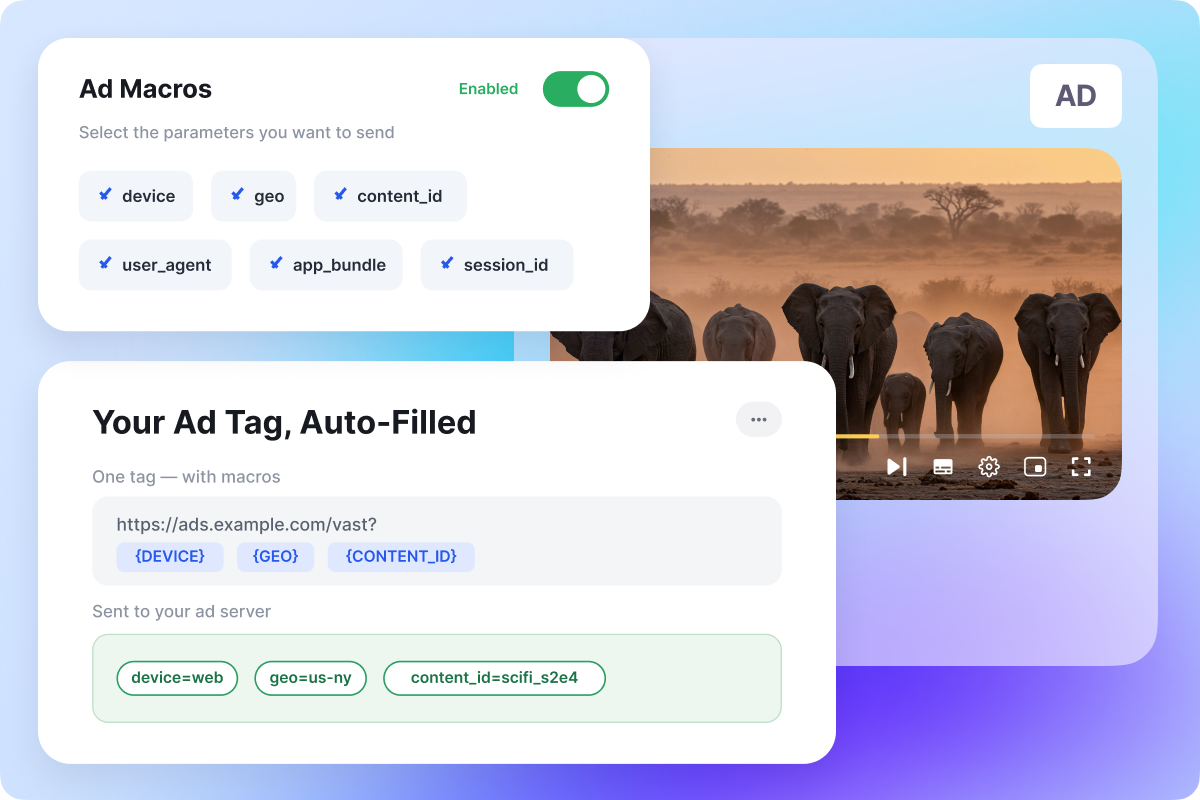
Creating and managing multiple ad tag URLs can be time-consuming. With Muvi, simply enable Ad Macros, select the parameters you want to send, and Muvi automatically fills in your ad tags with real-time values.
Need to add or update parameters later? Manage everything from the Muvi CMS without rebuilding your ad tags.
Turn Every Ad Request Into a Targeting Opportunity
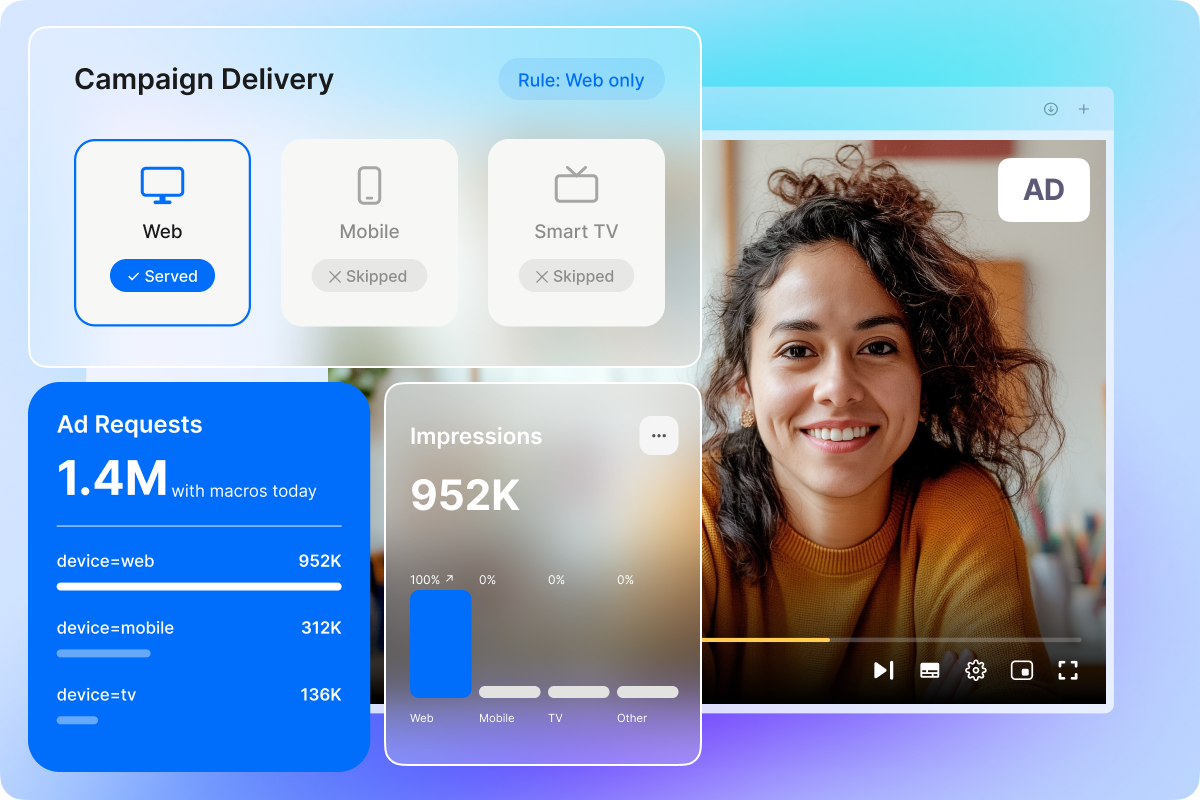
Every macro you send becomes something your ad provider can act on. Content metadata helps match ads to what's actually being watched. Device and location signals give your provider what they need to differentiate by platform or region — for example, if a provider wants a campaign to run on web only, you map device or IP information as a macro, and Muvi sends that data with every request, so your provider can skip serving that ad to anyone watching on mobile.
None of this happens by default with a static ad tag; it depends on what your provider's ad server is built to do with the data Muvi sends.

Increase Your Ad Revenue
More context in every ad request helps your ad provider deliver more relevant ads. When the ad server knows what's being watched, on which device, and where, it can match campaigns more effectively.
Ad Macros also increases campaign eligibility by automatically sending the parameters many advertisers require, such as location or device type. That means more bids can qualify for your inventory and integrating with multiple ad providers becomes simpler.
Actual revenue impact depends on your ad provider's targeting capabilities and advertiser demand, so results will vary.
Information Ad Macros Can Send


Built to Fit Your Ad Setup
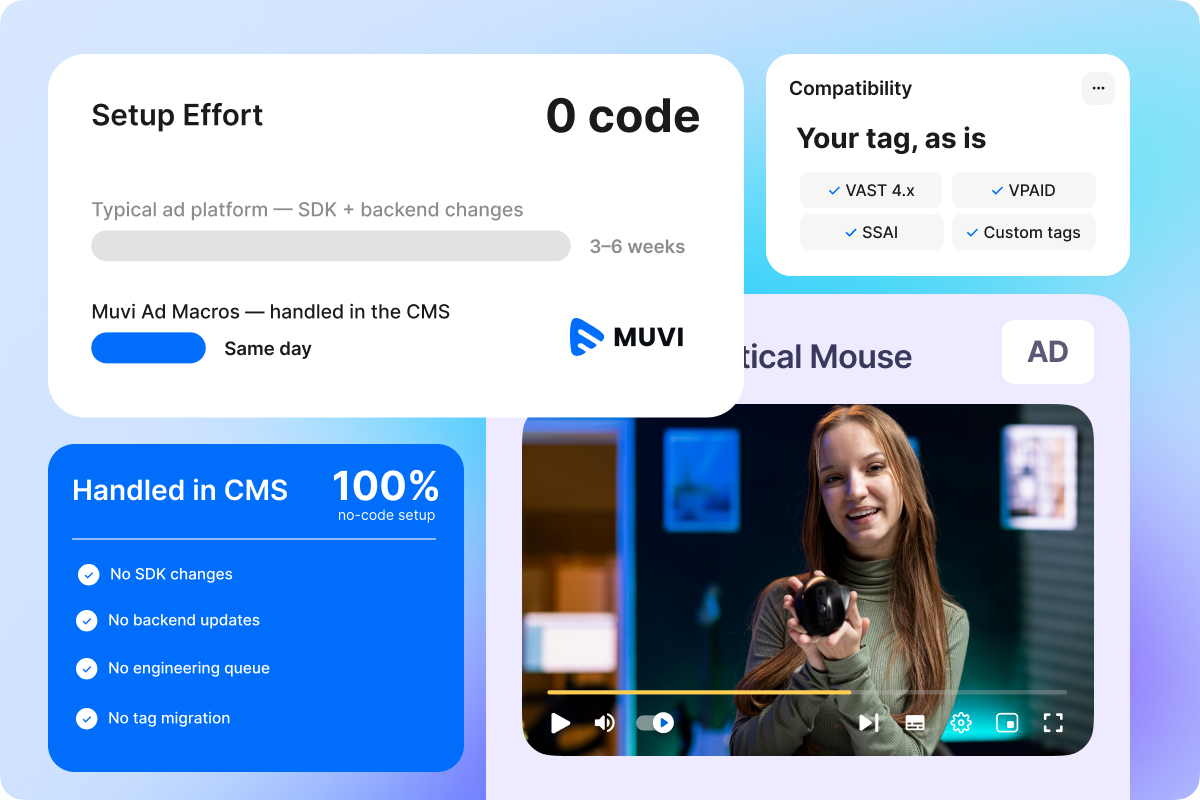
Ad Macros works with the ad tag format you're already using — no need to switch tools or change how your ad requests are structured.
Most ad platforms still require engineering support, SDK changes, or backend updates to add new ad parameters. With Muvi, it's all handled from the CMS — no code, no developer dependency, no waiting on an engineering queue.