The “living room battle” for the big screen has officially shifted from hardware specs to software ecosystems. By 2026, the smart TV apps market is projected to reach over $270 billion, with Android TV alone expected to hold nearly 36% of the market share. For OTT TV platform owners, broadcasters and media companies, this isn’t just about “having an app”—it’s about whether that app can hold a viewer’s attention when the friction of a poorly designed remote interface or a sluggish load time is just one “Back” button click away from a competitor.
This blog will explore why the television experience has become the primary battleground for retention and how platform operators can optimize for it without blowing their development budget.
Problem Areas of Apps: When “Mobile-First” Fails on the 65-Inch Screen
Is your app optimized for a remote or just a touch-screen port?
Many OTT platforms still treat their smart TV apps as an afterthought, often porting mobile interfaces that feel clunky when navigated with a D-pad remote. In 2026, 4K UHD smart TVs are estimated to hold more than 60% of all shipments. A “good enough” UI that looked fine on a 6-inch phone screen now looks pixelated, cluttered, and unprofessional on a high-end OLED display.
What does “TV-First” actually mean in 2026?
Data shows that streaming now accounts for a massive portion of total TV time, and global OTT subscription growth exceeds 85% of smart TV user engagement. An OTT TV-first experience prioritizes “lean-back” viewing. This means intuitive navigation, large readable text, and a search function that doesn’t require typing a 20-character title with a remote.
Customer Retention Lies on Smart TV Apps Screens
The primary reason OTT TV platforms must prioritize the TV experience is simple: The big screen is where the highest-value engagement happens. While mobile devices remain popular for on-the-go viewing, smart TVs account for approximately 45% of global streaming device usage, and that number is rising as users opt for larger screens over laptops. Viewers on TVs watch for longer periods, are more likely to engage with high-bitrate 4K content, and show lower churn rates when the “Quality of Experience” (QoE) is high.
Solving the Content Discovery Friction
In 2026, AI-native interfaces are the solution to discovery friction. Instead of scrolling through endless rows of thumbnails, users expect hyper-personalized recommendations that consider factors like the time of day or even the household’s viewing mood.
Why Smart TV Apps Have Become the Primary OTT Battleground
Smart TV Apps Drive ROI
The average household now owns 2.3 connected TV devices, and Smart TVs from Samsung (Tizen), LG (webOS), Amazon (Fire TV), Roku, and Android TV/Google TV collectively represent billions of active endpoints.
For SVOD platforms, the TV is where subscriber LTV is highest. Users who primarily watch on a TV tend to retain 30–40% longer than mobile-first users. For AVOD and FAST (Free Ad-Supported Streaming TV) operators, the TV screen commands significantly higher CPMs than mobile — in some verticals, the gap exceeds 4x.
The economics are unambiguous: Smart TV apps is where attention concentrates, and attention is where revenue follows.
FAST, AVOD, SVOD — Why Each Model Demands a TV-First Approach
Different monetization models have distinct, but equally urgent, reasons to prioritize the TV experience:
SVOD platforms (subscription video on demand) rely on discovery, binge patterns, and the perceived quality of their interface as a proxy for content value. Netflix spent years refining the 10-foot UI experience because they understood that a subscriber who can’t find something to watch in 90 seconds cancels. Your Smart TV app is your product, as much as your content library is.
AVOD platforms (ad-supported video on demand) live and die by completion rates and ad viewability. TV screens deliver full-screen, non-skippable, lean-back ad experiences that mobile simply cannot replicate. A clunky TV app that buffers or drops mid-roll is burning advertiser trust and CPM potential simultaneously.
FAST channels — FAST Channel is perhaps the most TV-native business model in streaming. They are built entirely around the linear, channel-surfing experience that TV audiences inherently understand. The challenge is delivering it reliably, dynamically inserting ads, and managing a 24/7 playout schedule at scale. This isn’t a mobile problem. It’s a TV infrastructure problem.
The Four Pillars of a World-Class Smart TV App Experience
1. Performance: Speed Is a Feature
On a Smart TV, a 3-second load time feels like 10 seconds. These devices — particularly mid-range smart TVs running Android TV or older Tizen builds — have constrained memory, slower CPUs, and less aggressive caching than phones. OTT platforms that benchmark their TV app on a flagship device are setting themselves up for widespread user complaints.
Real-world optimization for Smart TV apps means:
- Lazy loading of UI components and thumbnails to reduce initial render time
- Adaptive bitrate (ABR) streaming tuned specifically for TV network conditions, including the variability of home Wi-Fi
- Pre-buffering of the next episode or recommended title during playback
- Lightweight app architectures that don’t assume the processing headroom of a modern smartphone
2. Navigation: The Remote Is the UX
Mobile UX principles do not translate to a TV remote. Touch-based paradigms — tap, swipe, pinch — are meaningless when the only input is D-pad navigation and a select button. And yet, many OTT platforms ship TV apps with carousels designed for touch, dropdowns that require cursor precision, and search flows that are genuinely painful with a remote.
Great TV UX principles include:
- Focus state clarity — at every moment, users must know exactly what element is selected
- Horizontal scroll for discovery, vertical scroll for genre/category navigation
- Deep-link shortcuts that let returning users resume from wherever they left off
- Voice search integration on platforms like Fire TV and Google TV, reducing the friction of text entry
3. Personalization: The Algorithm Is the Interface
On a TV screen with 20,000 titles, content discovery is existential. The recommendation engine isn’t a nice-to-have — it’s what stands between engagement and the “nothing to watch” quit. In 2026, personalization on Smart TV apps have to work at the household level (multiple profiles, shared history) while also being fast enough to render dynamically on lower-powered TV hardware.
Alie AI, Muvi’s personalization and analytics layer, is purpose-built for this challenge. It processes viewing behavior, session data, and content metadata to serve contextually relevant recommendations across devices.
💡 Curious how AI-powered personalization can reduce churn on your platform? Explore Alie AI’s capabilities →
4. Reliability: Uptime Is Non-Negotiable at Scale
A streaming platform that works 99% of the time is broken 87.6 hours a year. On Smart TV, reliability failures are particularly damaging — users don’t troubleshoot, they leave. Reliability at the TV layer involves:
- CDN redundancy with edge nodes close to the viewer
- Fault-tolerant ad insertion (for AVOD/FAST) that degrades gracefully rather than causing stream failure
- DRM compliance across every TV OS, managed without manual cert renewal cycles
Reliability at scale isn’t just an operational concern—it’s deeply tied to how your TV apps are built and maintained across platforms. The moment you move from theory to execution, a critical question emerges: how do you deliver this level of performance, consistency, and uptime across a fragmented Smart TV ecosystem without multiplying complexity?
At this point, the challenge is no longer what to build—it’s how to build it at scale without compromising on any of these pillars. And in the Smart TV ecosystem, that decision almost always comes down to one key trade-off: native versus cross-platform development.
The Nuance: Native vs. Cross-Platform Development
Should you build for Tizen, WebOS, or Roku first?
This is the “fragmentation trap.” Samsung’s Tizen and LG’s WebOS remain the dominant smart TV platforms — making LG WebOS app development a critical investment for any OTT business targeting maximum smart TV audience coverage. For a detailed analysis of Google TV vs WebOS from an app developer’s perspective, see our comparison guide.
OS | Market Consideration |
Android TV | Projected 35.8% share in 2026; huge reach in North America. |
Tizen (Samsung) | Long-standing market leader with a massive global install base. |
Roku | Fastest projected CAGR at 14.4% due to its simplified interface. |
The Trade-off: Development Cost vs. Reach
Building native apps for every single OS is prohibitively expensive for most mid-sized media companies. You have to balance the cost of maintaining five different codebases against the risk of ignoring a segment of your audience.
What to Do Next: Audit Your Big Screen Presence
As we head deeper into 2026, the baseline for “acceptable” has moved.
- Test your app on a physical TV, not just an emulator.
- Evaluate your “Time to Play.” If it takes more than 3 seconds to start a stream, you are losing viewers to churn.
- Simplify your UI. If a user has to click more than three times to find something to watch, your navigation is too complex
Where Muvi One Fits: Seamless Multi-Screen Distribution
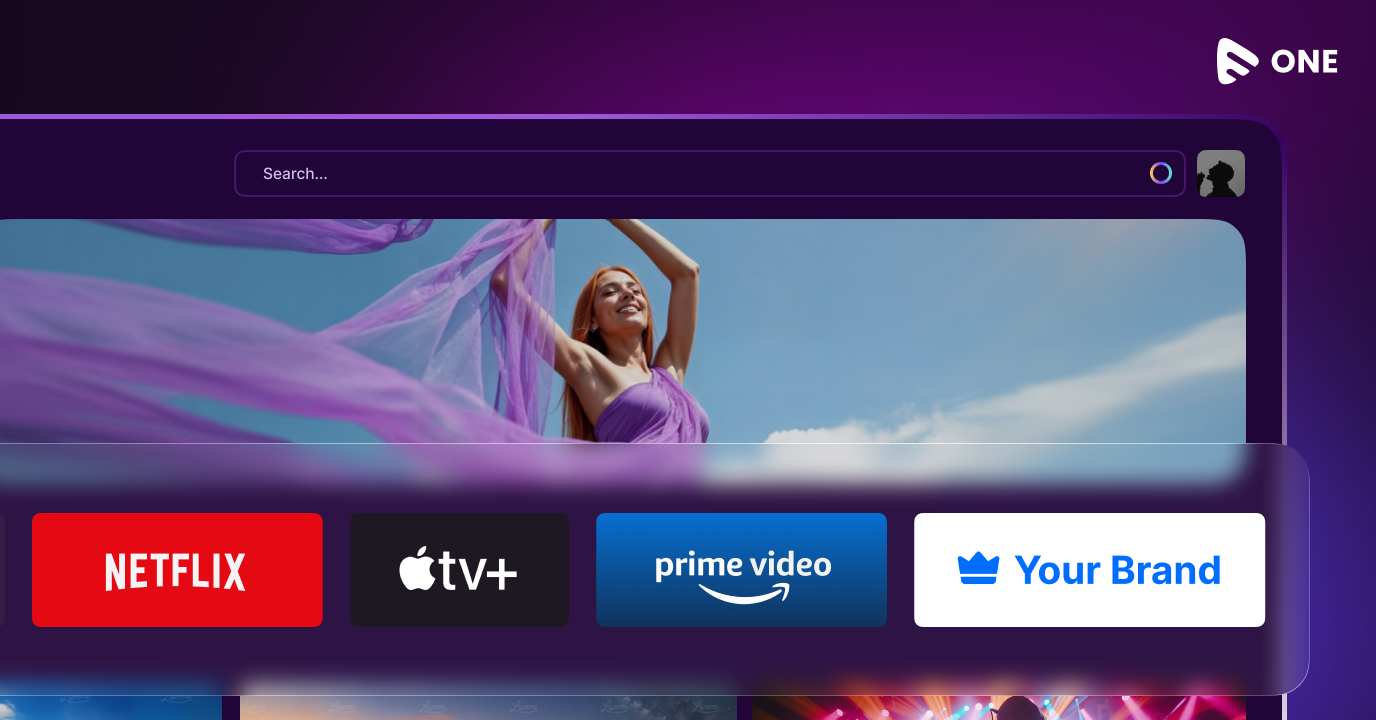
This is where a full-stack, no-code OTT platform builder like Muvi One changes the math. Instead of hiring separate developer teams, create a Roku channel alongside Tizen, WebOS, and Fire TV, creating a consistent branded experience across 12+ platforms with Muvi One.
One Dashboard, 12+ Platforms
Muvi One uses a unified dashboard, allowing you to manage your content once and have it sync across all smart TV apps instantly. It ensures that your branding, metadata, and 4K content look identical and professional, whether the viewer is on a Sony Android TV or an LG OLED.
Built-in “TV-Ready” Features
You don’t have to worry about the technical heavy lifting of CDN delivery or multi-DRM security—Muvi One includes these as standard. This allows you to focus on your content strategy while the platform handles the high-performance delivery required for a premium TV experience.
You can explore these smart TV capabilities with a 14-day free trial of Muvi One—no credit card required.



Add your comment