SafeWatch: AI Sensitive-Scene Skipping

AI Detection of Nudity, Sexual Content, and Gore

Admin Control Over Scenes and Skip Timings

Viewer Choice Between SafeWatch and Standard Playback

Sensitive-Scene Skipping Without Editing the Original Video

How SafeWatch Creates a Safer Viewing Mode

SafeWatch works with TrueComply, Muvi’s AI-powered content moderation solution, to identify sensitive scenes and generate their timestamps. You control which scenes should be skipped, while SafeWatch applies those choices during Muvi One playback without changing the original video.

Identify Sensitive Scenes with AI

TrueComply uses AI nudity detection to identify sensitive scenes and generate their timestamps.

Control What Viewers Skip

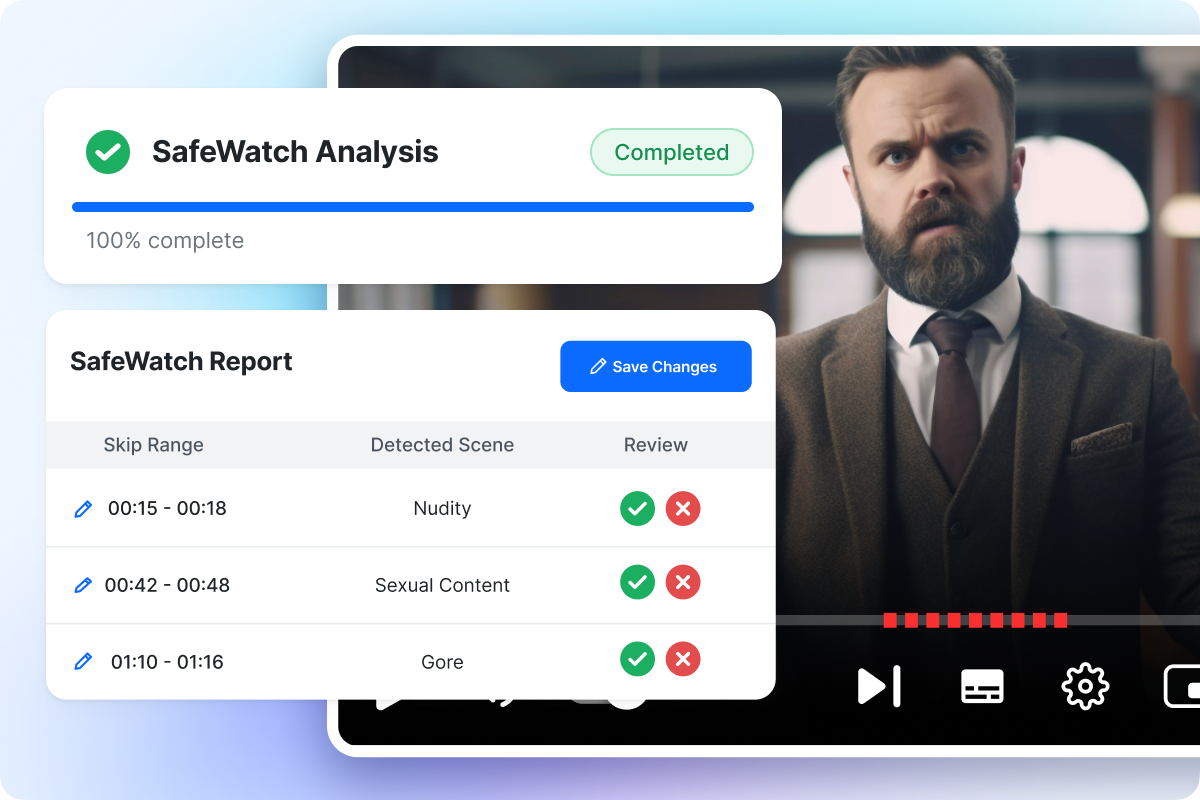
Review and adjust the detected scenes and timings based on your content policies.

Apply Safer Playback in Muvi One

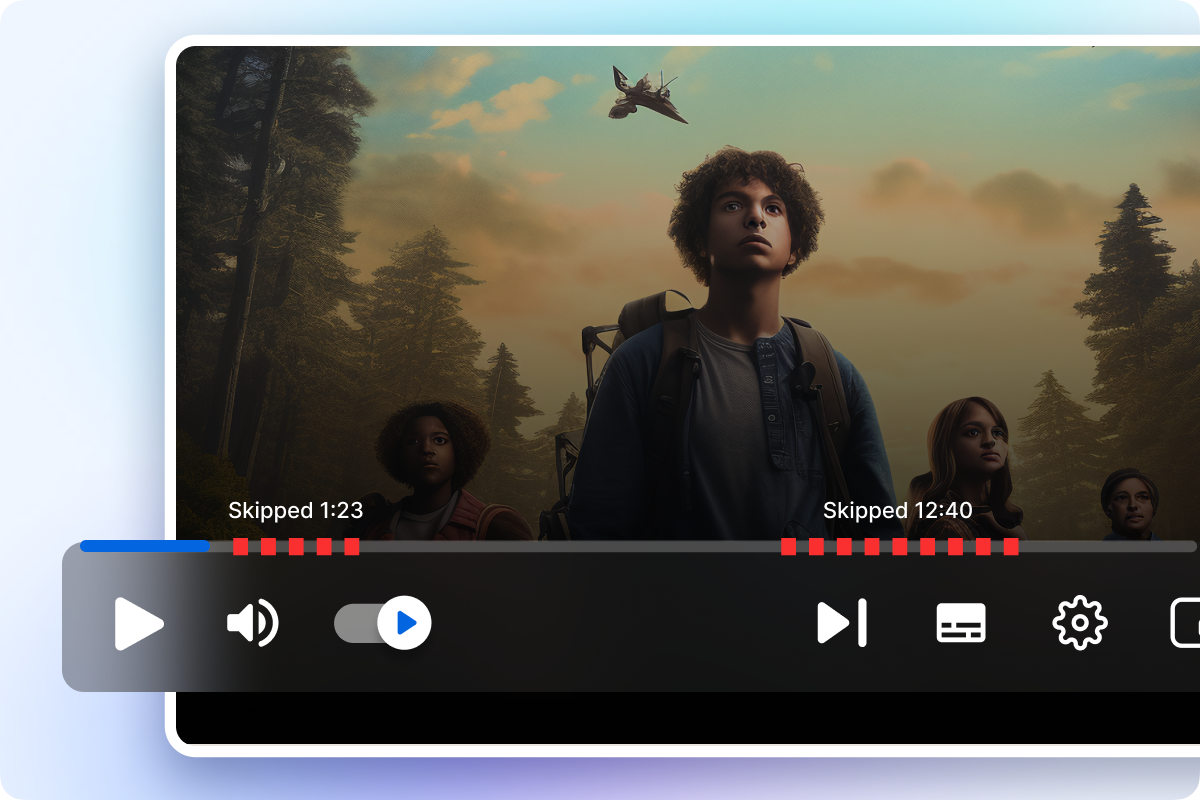
SafeWatch automatically moves past approved scenes without creating another version of the video.
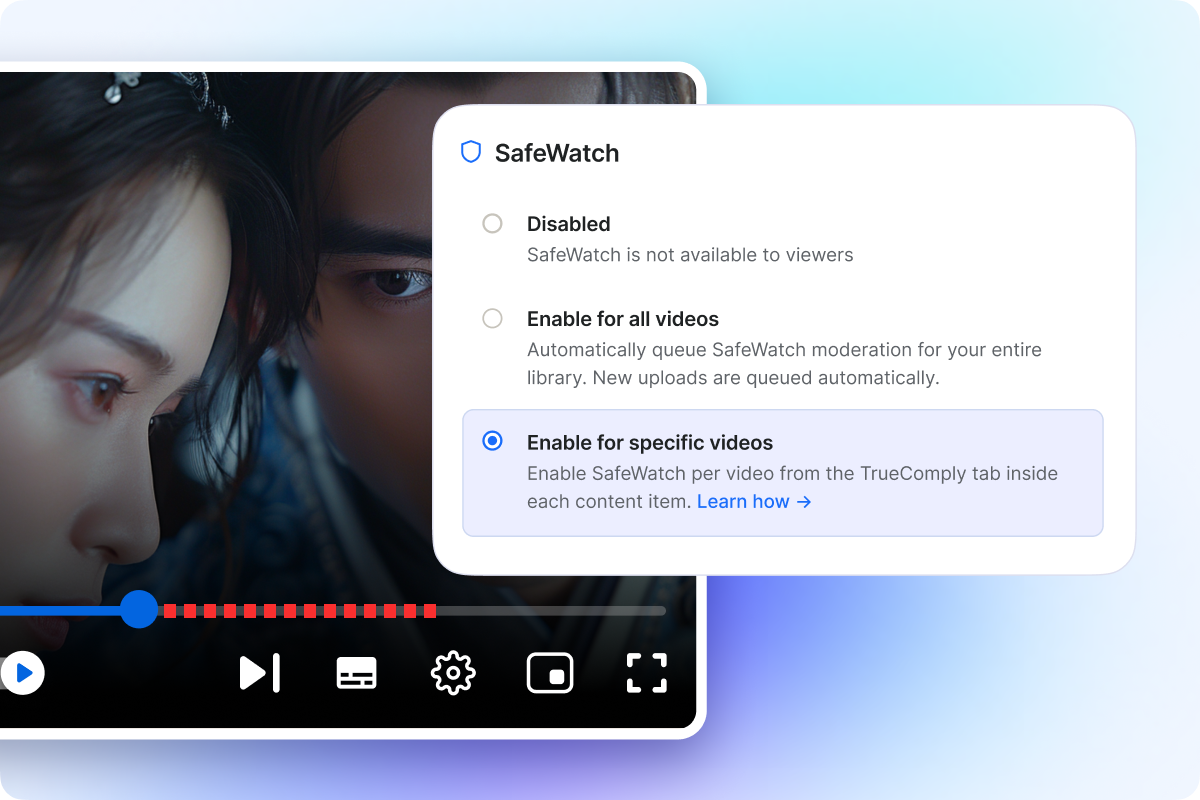
Note: SafeWatch requires an active TrueComply subscription or free trial.

What SafeWatch Can Skip by Default

 
SafeWatch provides content filtering for streaming through a preconfigured profile covering nudity, sexual content, and gore. Admins can review detections and adjust their timings.

NuditySexual ContentGore
Identifies scenes containing nudity or other NSFW visual content.Identifies scenes containing sexual or sexually explicit content.Identifies scenes containing graphic or gory content.

Control SafeWatch From Setup to Playback

Choose Where SafeWatch Applies

Choose Where SafeWatch Applies

Enable SafeWatch across your entire video library or only for selected videos. Turn it on library-wide, and Muvi One automatically queues new uploads for SafeWatch.

Control What Gets Skipped

Control What Gets Skipped

After a video is analyzed, admins can review the detected scenes and control which items and timestamp ranges are approved for skipping. Update and rerun the profile whenever your policies change, and SafeWatch applies the latest approved timestamps.

Keep Sensitive Scenes Skipped During Playback

Keep Sensitive Scenes Skipped During Playback

Approved sensitive scenes remain skipped even when viewers seek, resume, start over, or use Skip Intro. If playback lands within a restricted section, SafeWatch automatically moves it to the next unrestricted point.

Let Viewers Choose How They Watch

Let Viewers Choose How They Watch

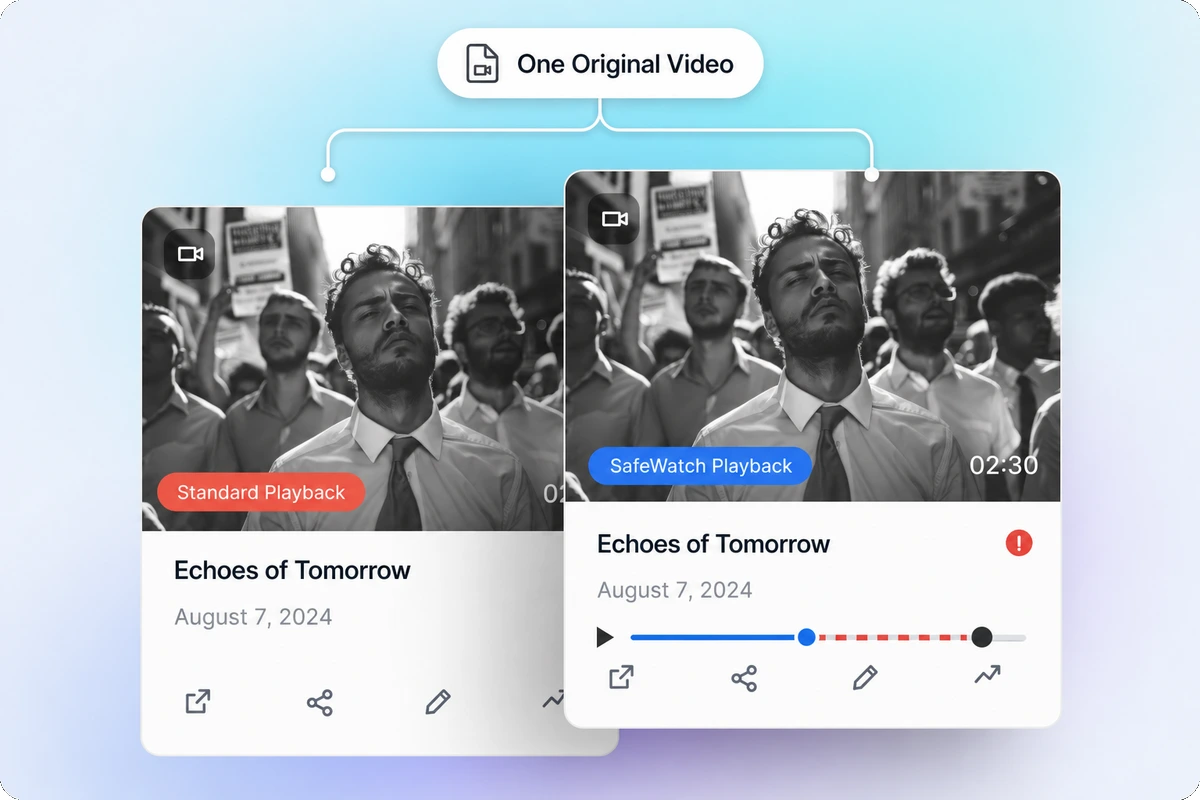
SafeWatch appears alongside Watch Now for eligible videos, giving viewers a choice between standard playback and a more family-friendly streaming mode. If they change modes, the video restarts from the beginning in the selected experience.

Add SafeWatch to Your OTT Platform via API

Automatic Scene Skipping for Your Existing OTT Platform

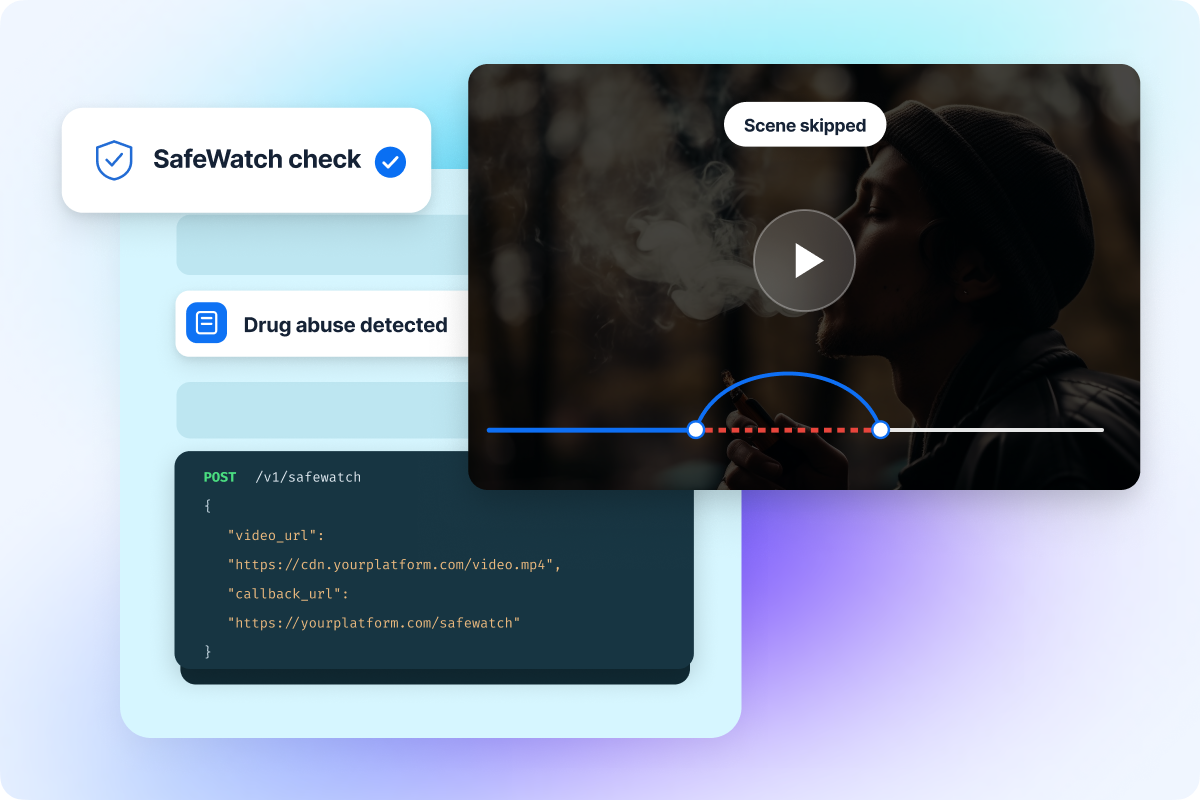
If you already run your streaming service on another OTT platform, pass your video URL through the SafeWatch API and receive the output needed to offer sensitive-scene skipping within your existing viewing experience.

Keep the Original Video Unchanged

Keep the Original Video Unchanged

SafeWatch skips approved scenes during playback without editing or re-encoding the source video. Offer standard and SafeWatch viewing without storing or managing separate versions.

Make More Content Comfortable to Watch Together

SafeWatch gives audiences another way to enjoy videos containing sensitive moments without removing access to the complete version.

Family Viewing

Let families watch together with approved sensitive scenes automatically skipped.

Shared-Screen Viewing

Create a more comfortable experience when content is watched with children, parents, or a wider group.

Personal Viewing Preferences

Give viewers who prefer to avoid certain content a safer playback option.

Videos with Occasional Sensitive Scenes

Let viewers enjoy the wider story without abandoning a video because of a few sensitive moments.

Frequently Asked Questions

SafeWatch is a Muvi One playback feature that skips admin-approved sensitive scenes when viewers select Watch with SafeWatch. It uses timestamps generated through TrueComply without editing the original video.

SafeWatch can support parental viewing preferences by offering a more family-friendly streaming mode. However, it is not a complete parental-control system with PINs, child profiles, age restrictions, or account-level content blocking.

The default SafeWatch profile detects nudity, sexual content, and gore. Admins can review the detections, adjust timestamp ranges, and edit the profile according to their content policies.

No. TrueComply’s AI video moderation identifies potentially sensitive scenes and generates their timestamps. Admins control which scenes and timestamp ranges are approved for SafeWatch playback.

No. SafeWatch works as video scene-skipping software at the playback level. The original video remains unchanged, and businesses do not need to store or manage a separate edited version.

If seeking, resuming, starting over, or using Skip Intro places the viewer inside an approved restricted section, SafeWatch moves playback to the next unrestricted point.

No. SafeWatch only uses the approved timestamp data from the moderation report. It does not depend on actions such as blur, mute, beep, or frame removal configured in the moderation profile.

The latest SafeWatch report becomes the active report for that content. Its approved timestamps replace the timestamps from the previous SafeWatch run.

No. If a video has no moderation report, contains no approved detections, or all detections are rejected, SafeWatch is not displayed to viewers.

Yes. Businesses using another OTT platform can pass their video URL through the SafeWatch API and receive the output required to add automatic sensitive-scene skipping to their existing viewing experience.

Yes. SafeWatch requires an active TrueComply subscription or free trial because TrueComply performs the sensitive-content analysis and generates the timestamps SafeWatch uses during playback.

Already using a platform?

Muvi will help with Data Migration, Customizations, and Integrations. Switch to Muvi today!

Migrate to Muvi
Start Offering Safer Viewing with SafeWatch
  • Enable SafeWatch for all or selected videos
  • Control which scenes and timings are skipped
  • Keep restrictions applied across playback actions
  • Preserve the original video without re-encoding
Get Started Upgrade / Cancel Anytime. No Commitments.