Banner Ad
Monetization

Run banner ads across your website and mobile apps using supported ad networks like Google AdMob or your own creatives, adding another revenue stream alongside video advertising.

Why Banner Ad Monetization with Muvi One?

Typical Banner Ad Setup With Muvi One
Banner and video ads managed separately Run banner ads alongside your existing video advertising
Additional setup across streaming experiences Configure banner ad slots from Muvi One
Ad monetization focused mainly on playback Monetize browsing experiences alongside video playback
Separate workflows for free and paid experiences Combine banner ads with subscription and ad-free plan strategies

Everything You Need to Run OTT Banner Ads

Create a Banner Ad From CMS

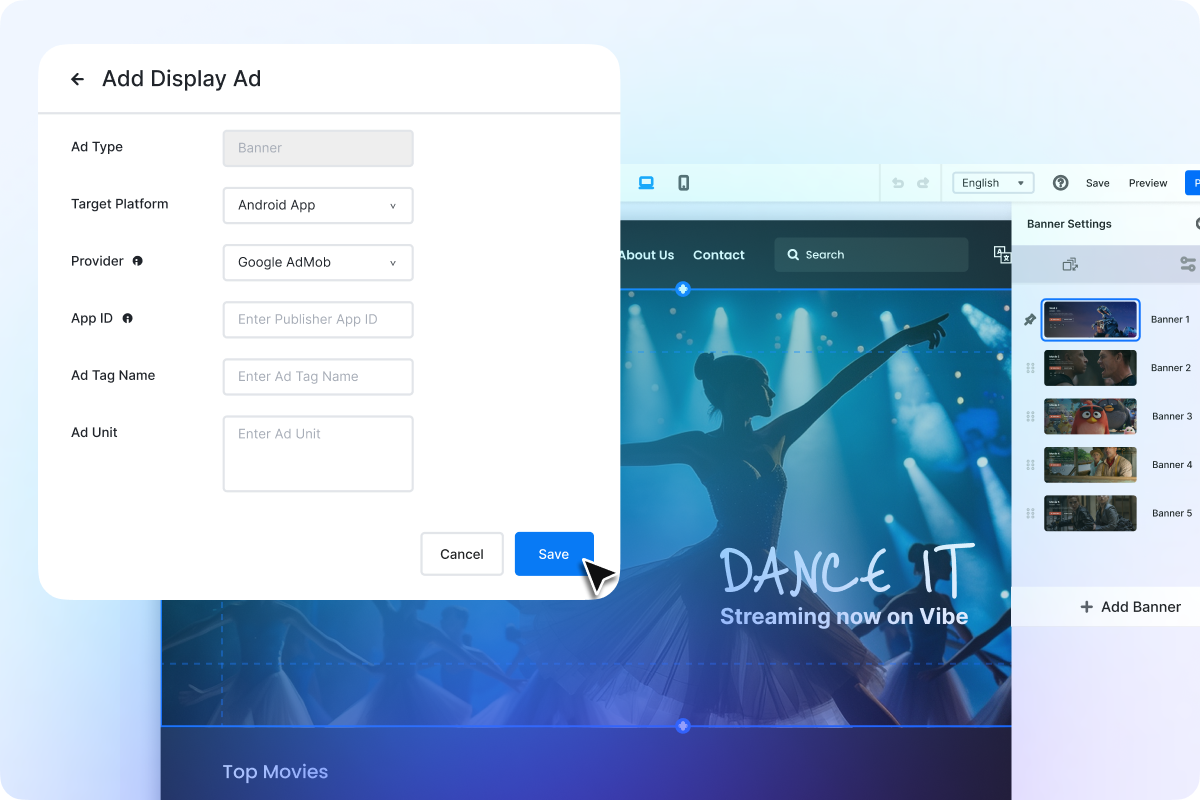
Create Banner Ad Slots from Muvi One

Create banner ad slots from the Muvi One CMS by selecting the target platform, ad provider, banner unit, and required configuration details.

Configure Banner Placement in Visual Designer_

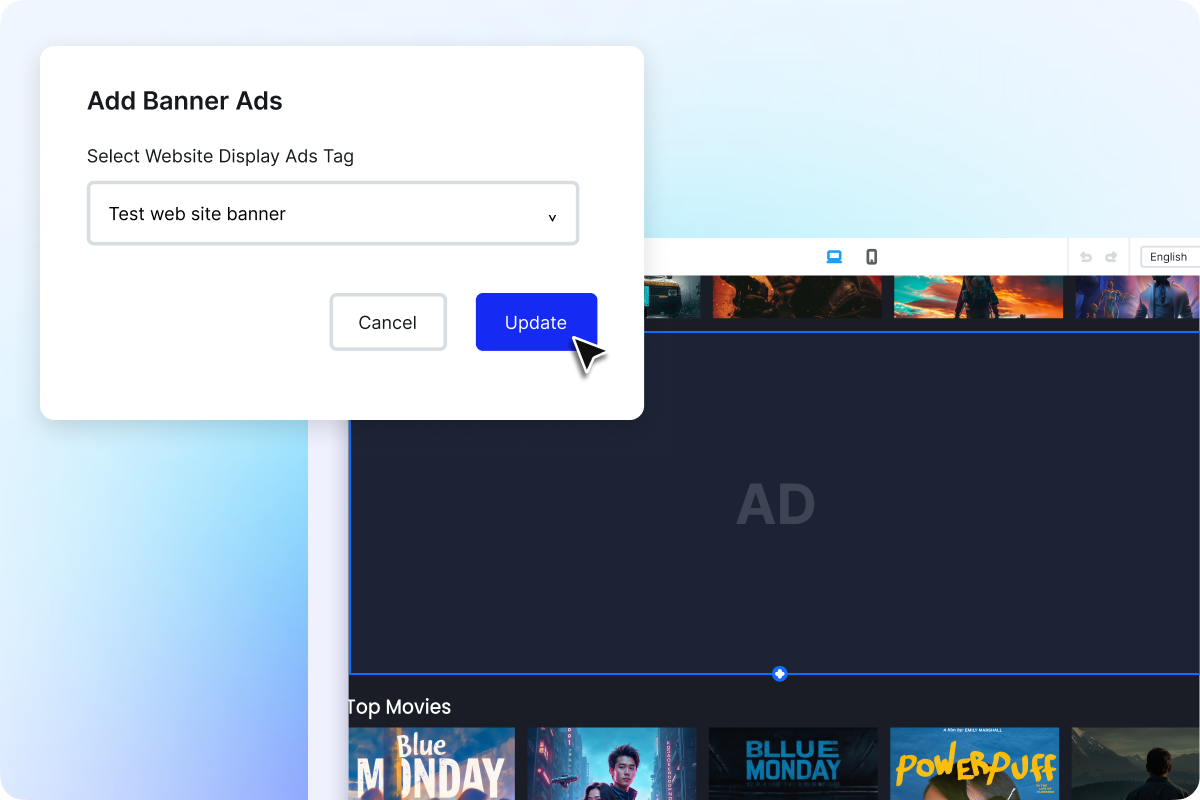
Configure Banner Placement in Visual Designer

Select the banner ad unit created in Muvi One and place it within your website layout through Visual Designer. Choose where the banner should appear in the browsing experience and update the page without custom development.

Banner Ads Across Website & Mobile Apps_

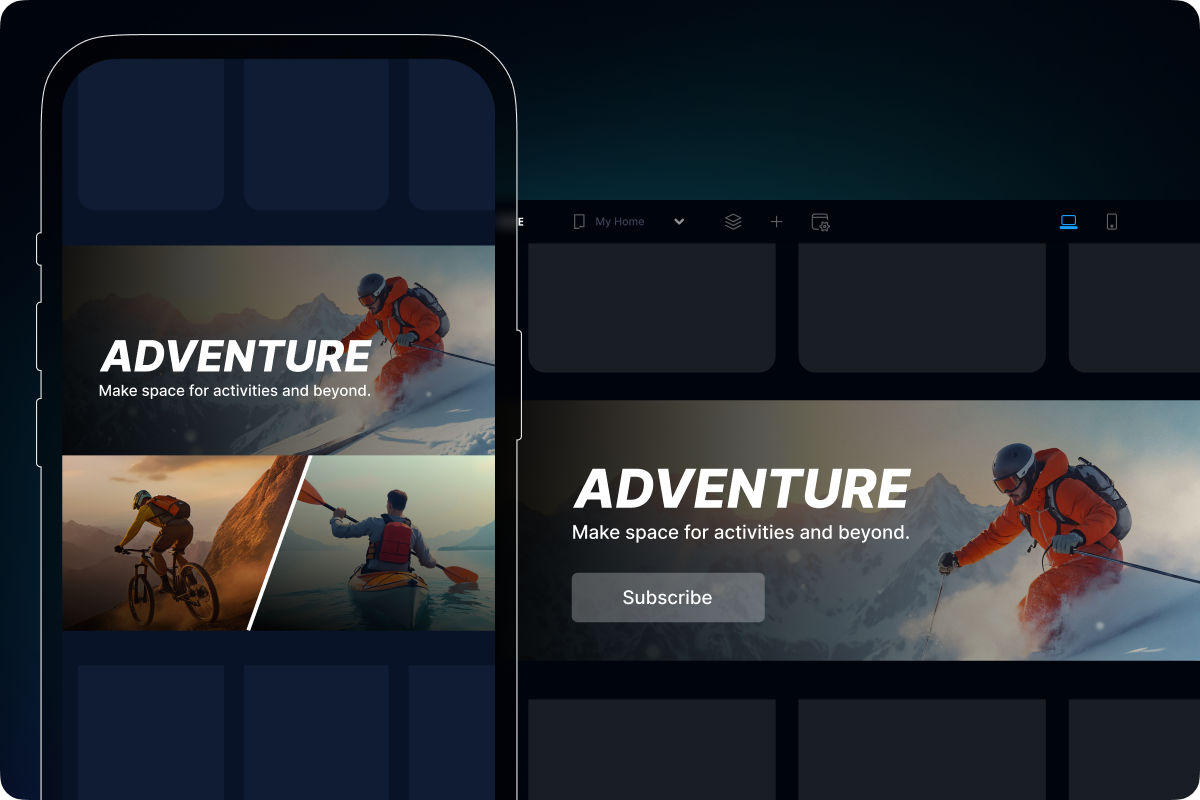
Banner Ads Across Website & Mobile Apps

Extend display advertising beyond your streaming website to Android and iOS apps. Create additional advertising opportunities across the browsing experience, so you can monetize audiences on more than one screen.

Monetize Free Users, Keep Paid Experiences Ad-Free_

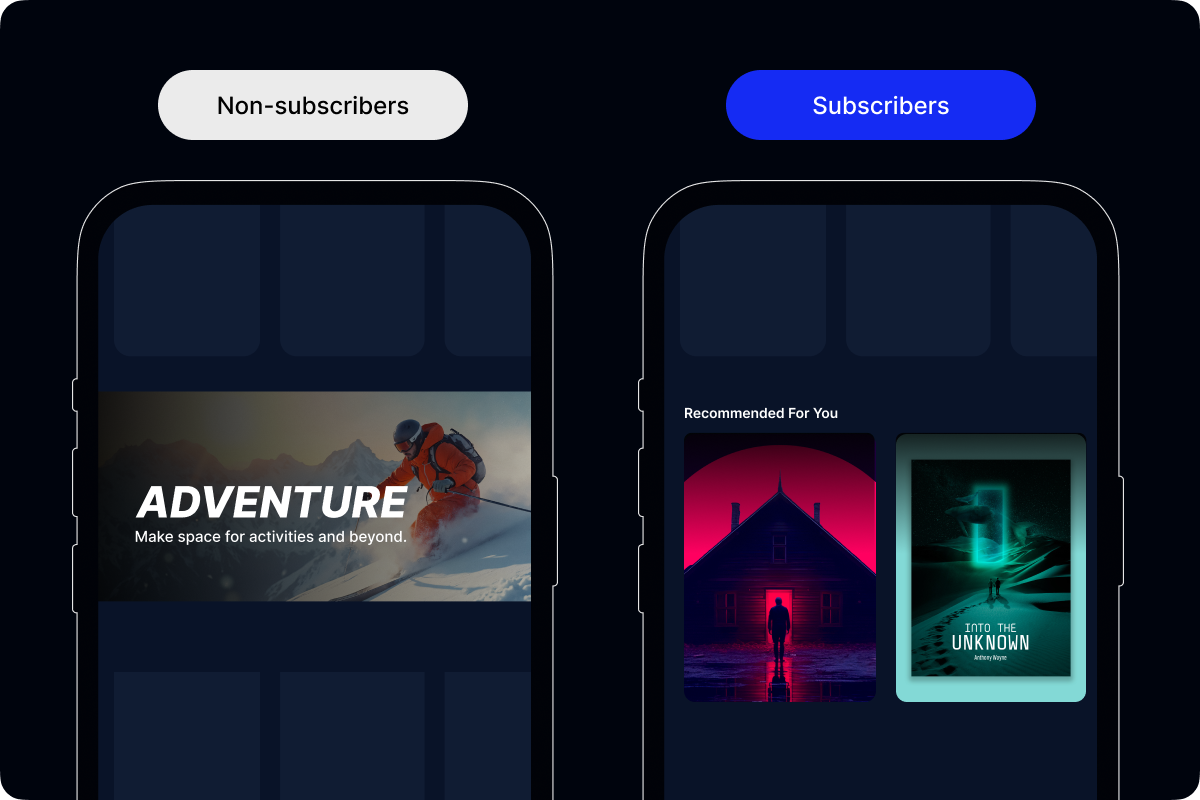
Control Banner Ads by Subscription Plan

Use Policy Engine to decide which plans include banner ads and which remain ad-free. Monetize free users, keep premium plans ad-free, or combine subscriptions with banner ads in lower-tier plans.

Set Up Banner Ads in a Few Steps

Create a Banner Ad Slot

Create the slot in Muvi One and choose the target platform and required ad configuration.

Select the Placement

Choose where the banner should appear across your website or supported app experience.

Choose What to Show

Connect a supported third-party ad network such as Google AdMob, or use your own creative for the banner slot.

Publish Across Website & Apps

Save the setup and start displaying banner ads across supported experiences.

FAQs

OTT banner ads let you display third-party advertisements across your streaming website and supported apps. They help you monetize OTT browsing traffic outside the video playback experience and create an additional revenue opportunity alongside video ads.

Yes. Banner Ads complement your existing video advertising by adding display advertising for OTT platforms across the browsing experience. This helps you monetize both video consumption and non-video browsing activity.

Yes. For websites, you can select a banner unit in Visual Designer, choose its size, and configure its placement within the page layout. This gives you more control over your OTT platform display ad inventory.

Yes. Muvi One supports the use case of monetizing free users through banner advertising while offering paid subscribers an ad-free experience. This helps you monetize OTT browsing traffic without applying the same ad experience to every audience segment.

Banner Ads currently support third-party advertisements. We’re also working on expanding the feature to support in-house promotional banners, so you can promote your own content and offers directly within your streaming experience.

Already using a platform?

Muvi will help with Data Migration, Customizations, and Integrations. Switch to Muvi today!

Migrate to Muvi
Expand Revenue with OTT Banner Ads
  • Add display advertising across your OTT website
  • Monetize browsing traffic beyond video playback
  • Expand your OTT platform display ad inventory
  • Manage banner units and placements from Muvi One
Get Started Upgrade / Cancel Anytime. No Commitments.