Corporate live streaming has become an important part of how organizations communicate with employees, leadership teams, investors, partners, and other stakeholders at scale. From company-wide town halls and executive meetings to investor events and product launches, these broadcasts often involve sensitive information that should only be accessible to the intended audience.
Securing a corporate live stream, however, involves more than putting a password on a video. Effective protection needs to cover who can access the broadcast, how the video is transmitted, and what viewers can do with the content once they have access. At the same time, security measures need to work seamlessly at scale, without creating unnecessary barriers for legitimate viewers.
A secure live streaming strategy therefore requires multiple layers of protection working together. Authentication, domain restrictions, encryption, DRM, watermarking, and device controls each address a different part of the security equation. This guide explores the key security controls for corporate live streaming and how to choose the right level of protection for different types of events.
What Secure Live Streaming Actually Protects
It helps to separate the problem into three surfaces, because a control that covers one does nothing for the others.
- Entry. Who is allowed in. Authentication and access control decide whether a given viewer reaches the player at all. This is where password protection, viewer verification and domain restriction operate.
- Transit. What happens to the video between your encoder and the viewer’s screen. Encryption and digital rights management stop the stream from being intercepted or played back outside the environment you approved.
- After entry. What a legitimate viewer does after they are inside. Someone with valid access can still record their screen or re-broadcast the feed. Watermarking and device restrictions address this layer, and it is the one most often left uncovered.
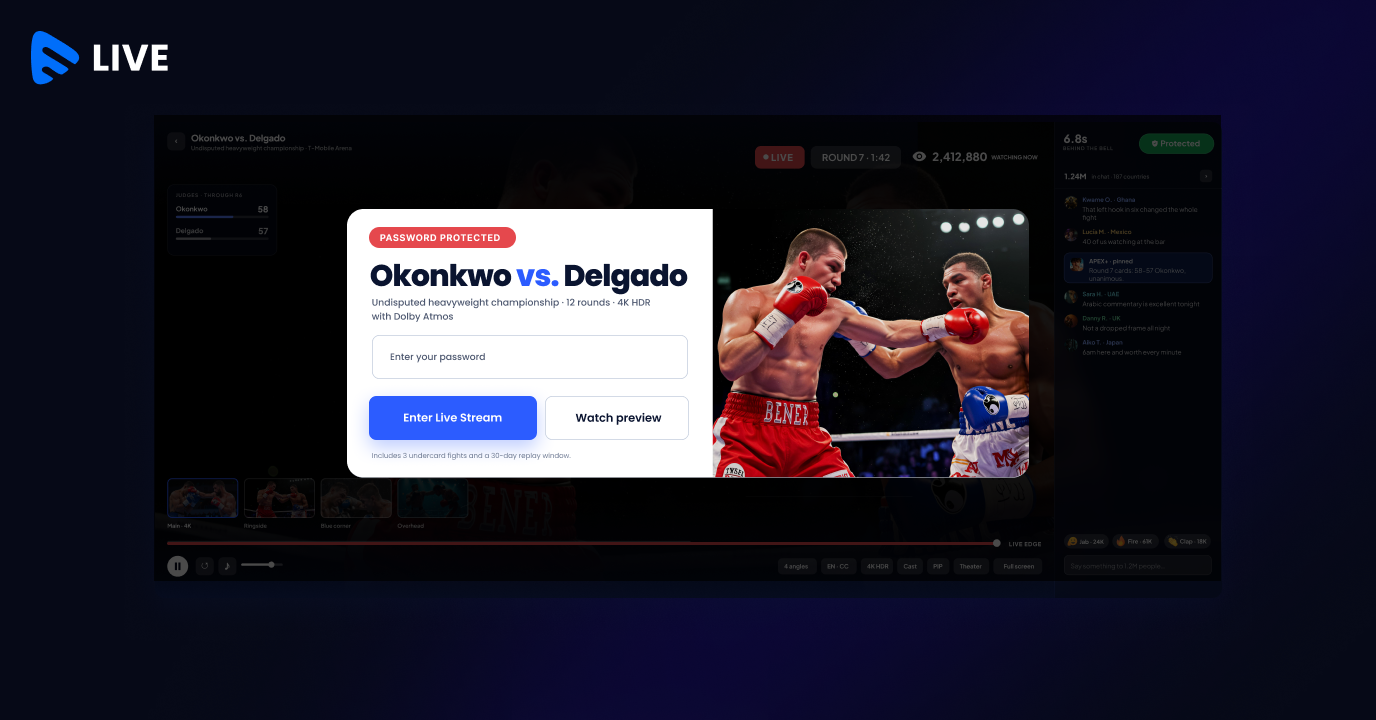
Muvi Live handles the entry layer with password protected live streams, where broadcasters set an individual password per stream, and viewers authenticate once. That status is then held for an hour, so someone who steps away and comes back is not asked again.
How Muvi Live Secures Corporate Live Streaming
Muvi Live provides a layered approach to securing corporate broadcasts, giving organizations control over who can access a stream, where it can be played, and how the content is protected during and after delivery. These controls can be applied based on the sensitivity and scale of each event, without requiring viewers to navigate a complicated access process.
Password Protection With Persistent Authentication
A single password per event is the simplest control to communicate, and it fits how corporate invitations already work. What decides whether it survives a live event is re-entry. When authenticated status persists, a viewer who loses connection or switches devices does not re-authenticate mid-session, which removes the most common source of support tickets during a broadcast.
Domain Restriction on the Embedded Player
If the stream is embedded on an intranet page or internal portal, the player can be restricted so it loads only on domains you have approved. Someone who copies the embed code onto an external page gets nothing, and the viewer on the approved page notices no difference.
Encryption and Multi-DRM
Digital rights management encrypts the stream and controls playback at the device level. Built-in DRM for live streaming on Muvi Live supports Widevine, PlayReady and FairPlay, which between them cover Windows, macOS, iOS, iPadOS and Android. Licence handling happens in the background, so this is protection the viewer never interacts with.
Broadcast Delay for an Extra Layer of Control
For sensitive corporate broadcasts, broadcast delay gives moderators a window to review the feed before it reaches viewers. Muvi Live lets organizations configure a delay from 30 seconds to 10+ minutes, depending on the level of review required. This can help prevent accidental disclosure of confidential information, inappropriate content, or other material that should not reach the audience.
Watermarking and Device Limits
Visible watermarking overlays viewer details such as name, email, or IP address on the stream, with adjustable transparency and display frequency so it deters leaks without ruining the picture. Forensic watermarking is invisible and survives re-encoding, cropping, and camcording, which makes it useful for tracing a leak afterwards. Device restrictions cap how many devices one account can stream from at once.
Together, these capabilities allow organizations to build a security model around the requirements of each broadcast—whether that means protecting an internal town hall for thousands of employees or applying stricter controls to an executive, investor, or confidential event.
Final Comments
Secure live streaming is not about adding as many restrictions as possible. It is about applying the right combination of controls based on the audience, sensitivity, and purpose of each corporate event.
The goal is to make these protections work in the background, so security does not become another barrier for employees, executives, investors, or partners trying to join a broadcast. With the right streaming infrastructure, organizations can deliver large-scale corporate events with the accessibility audiences expect and the security sensitive content requires.
Muvi Live brings these capabilities together in a single live streaming platform, helping organizations secure corporate broadcasts while maintaining a seamless viewing experience across devices and audiences.
Stream your next corporate event securely Muvi Live runs password-protected, DRM-encrypted broadcasts on your own branded platform, with no per-viewer licensing surprises. Try it free and put the controls through a real event before you commit. Try Muvi Live free |






Add your comment