Whether you’re binge-watching a thriller on Netflix at midnight or tuning into a live concert from across the world, streaming makes it all possible — instantly, seamlessly, and without filling up your device storage. But have you ever paused mid-episode and wondered: How does Streaming work?
Behind every smooth playback lies a network of servers, protocols, compression algorithms, and delivery networks working in perfect harmony. This complete guide breaks down everything you need to know about streaming — from what is streaming, how it works and where it began, to where it’s headed tomorrow.
1. What is Streaming?
Streaming is a method of delivering audio, video, or data continuously over the internet without requiring users to fully download files before accessing them.
When you stream content, your device is loading digital files in small units called data packets. These packets arrive in a continuous sequence and are played back as they reach your device — meaning you never have to wait for the entire file to transfer before you start enjoying the content.
Everyday examples of streaming include:
- Video streaming — Netflix, YouTube, Amazon Prime Video, Disney+
- Audio streaming — Spotify, Apple Music, Pandora, Amazon Music
- Live streaming — Twitch, YouTube Live, Facebook Live, ESPN+
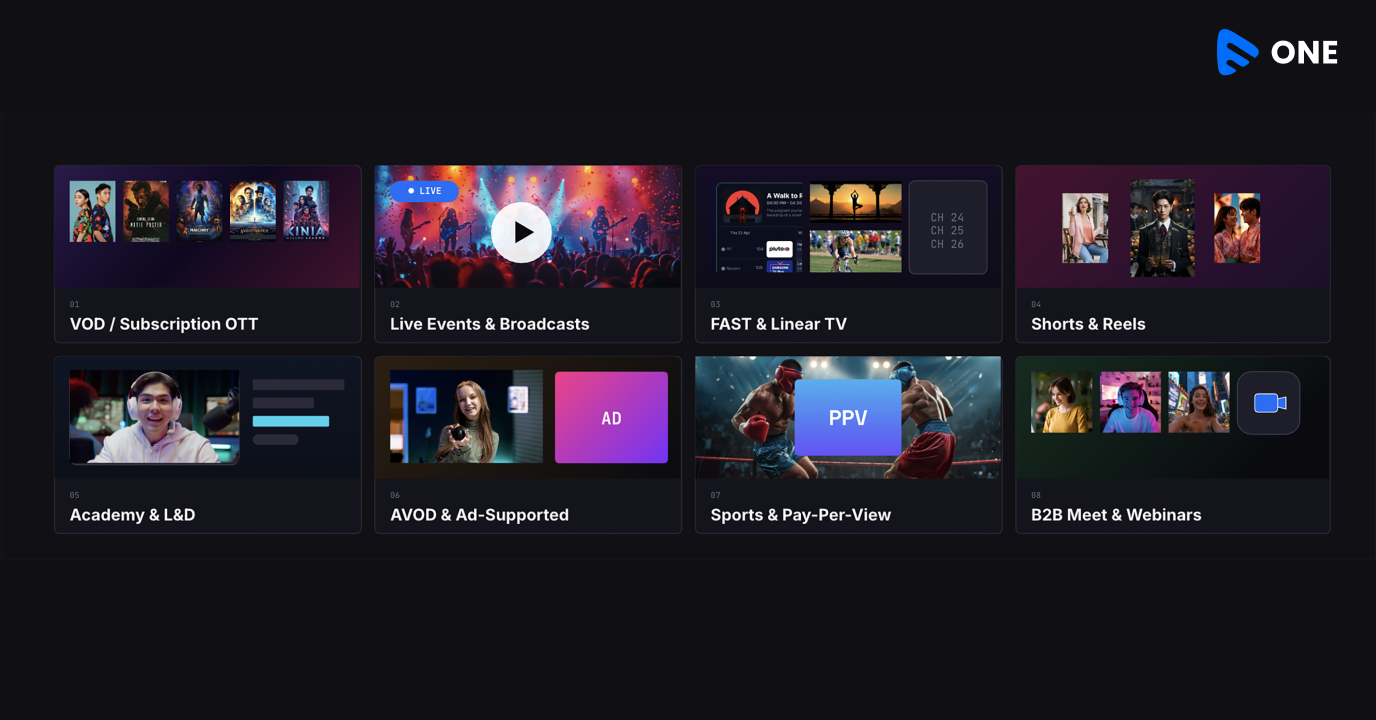
Muvi One lets you launch a fully branded streaming service without writing a single line of code. Start your 14-day free trial and see how easy it is to get started.
2. History of Streaming
Streaming evolved through decades of advancements in internet speed, media compression, and digital content delivery.
The 1990s: Early Foundations
The streaming era began in the mid-1990s when companies like RealNetworks introduced RealAudio (1995) and RealVideo (1997), making it possible to stream audio and video online for the first time. Microsoft and Apple soon entered the space with their own streaming technologies.
Early 2000s: Broadband Fuels Growth
The rise of broadband internet transformed streaming from a niche experiment into a viable consumer experience. Flash video enabled websites to stream content more easily, paving the way for large-scale online video platforms.
2005: YouTube Changes Everything
YouTube revolutionized streaming by making video uploading and viewing accessible to everyone through a browser. Its explosive popularity helped normalize online video consumption globally.
2007–2010: Netflix and Spotify Reshape Media
Netflix shifted from DVD rentals to streaming in 2007, fundamentally changing video entertainment. Around the same time, Spotify popularized music streaming through subscription-based access to massive song libraries.
2010s: Streaming Goes Mainstream
The 2010s marked the golden age of streaming. Platforms like Netflix, Twitch, Hulu, Disney+, and Amazon Prime Video expanded rapidly, while smartphones and faster mobile networks drove massive growth in mobile streaming.
2020s: Streaming Becomes Essential
The COVID-19 pandemic accelerated streaming adoption worldwide. Beyond entertainment, streaming now powers remote work, virtual events, telehealth, online education, cloud gaming, and global digital communication.
3. Types of Streaming
Streaming can be classified into many types based on the type of content, the delivery method, and how it’s consumed.
1. Video On-Demand (VOD) Streaming
VOD refers to pre-recorded content that is stored on servers and made available for users to watch whenever they choose. The key characteristic is user control — you can pause, rewind, fast-forward, and restart.
Examples: Netflix, Amazon Prime Video, Disney+, Hulu,
2. Live Streaming
Live Streaming involves content that is broadcast in real-time as events unfold. There is no pre-recorded file — the video is captured, encoded, and transmitted simultaneously to potentially millions of viewers.
Examples: ESPN, YouTube Live, Twitch, Facebook Live, Instagram Live, major sporting events
3. Audio Streaming
Specifically designed for delivering music, radio, podcasts, and audiobooks. Audio files are significantly smaller than video, making audio streaming less bandwidth-intensive but no less technically sophisticated.
Examples: Spotify, Apple Music, Amazon Music, Pandora, Audible, SoundCloud
4. Real-Time Streaming (Ultra-Low Latency)
A subset of live streaming optimized for near-zero delay, essential for interactive applications where a delay of even half a second is unacceptable. Uses protocols like WebRTC to achieve sub-second latency.
Examples: Zoom, Google Meet, Microsoft Teams,
5. Progressive Streaming
An older method where the file downloads as it plays. The media player begins playback after buffering a small portion, and the download continues in the background. Unlike true streaming, the file may eventually be fully stored on the device.
Examples: Early YouTube
6. Adaptive Bitrate Streaming (ABR)
ABR is a process which dynamically adjusts stream quality based on the viewer’s available bandwidth and device capabilities. If your connection weakens, the player automatically drops from 1080p to 720p or even 480p to prevent buffering. When bandwidth improves, quality jumps back up automatically.
Examples: Used by major streaming platforms — Netflix, YouTube, Twitch, Spotify
7. Cloud Gaming / Interactive Streaming
An emerging form where the computing itself happens in the cloud. Games run on remote servers, and only the video output is streamed to the player’s device. The player’s inputs (controller commands) are sent back to the server with minimal delay.
Examples: Xbox Cloud Gaming, NVIDIA GeForce Now, PlayStation Now
Whether you’re planning a VOD library, a live streaming channel, or both — Muvi One supports it all under one roof. No juggling multiple tools or vendors.
4. How Does Streaming Work?
Here’s how streaming works in a step-by-step workflow:
Step 1: Request Content
When you press play on a video or song, your device sends an HTTP request to the streaming platform’s server. This request includes information about your device, internet speed, and the specific content you want. The server receives the request and prepares to respond.
Step 2: Content Encoding and Compression
Before content can be streamed, it must be encoded — converted from raw media data into a compressed digital format. Encoding uses codecs to compress this data dramatically while preserving acceptable quality.
Common video codecs include:
- H.264 / AVC H.265 / HEVC AV1 and VP9
For audio, common codecs include AAC, MP3, and Opus.
Modern streaming platforms encode the same piece of content at multiple quality levels simultaneously so the player can switch between them dynamically.
Step 3: Data Is Broken Into Packets
Instead of sending one enormous file, the server breaks the encoded media into small data packets — each containing just a few seconds of content. Each packet contains:
- A portion of the audio/video data
- Metadata about where it belongs in the sequence
- Error-checking information
Each packet may take a different path across the internet’s interconnected networks, finding the fastest available path at that moment.
Step 4: Delivery via CDN
Most major streaming platforms don’t serve content from a single central server. Instead, they use Content Delivery Networks (CDNs) — globally distributed networks of servers positioned strategically close to users. When you request content, the CDN automatically routes your request to the nearest Point of Presence (PoP) server rather than a distant central origin.
Step 5: Buffering
As packets arrive at your device, they don’t play immediately. Your device first accumulates a small reserve of data in a temporary storage area called a buffer — typically representing 5–30 seconds of content ahead of your current playback position.
Step 6: Decoding and Playback
Once there’s enough data in the buffer, your media player begins decoding the compressed packets back into displayable video frames and audible audio samples. The decoded content is then:
- Rendered as images on your display at the appropriate frame rate (24fps, 30fps, 60fps, etc.)
- Sent to your speakers or headphones as audio
Step 7: Adaptive Bitrate Adjustment (Ongoing)
Throughout your viewing session, the streaming player continuously monitors your connection speed and buffer health. When it detects a slowdown, it seamlessly requests the next segments at a lower quality level. When conditions improve, it steps quality back up.
Step 8: Session End
When you stop watching, the server stops sending data. Any packets in the buffer are cleared (unless you’ve explicitly downloaded content for offline viewing). The entire temporary stream leaves no permanent trace on your device.
5. Tech Behind Streaming
Under the hood, streaming relies on a sophisticated stack of technologies working in concert.
Streaming Protocols
Protocols define the rules for how data is packaged, transmitted, and received. Different protocols are optimized for different use cases:
HLS (HTTP Live Streaming) Developed by Apple in 2009, HLS has become the most widely supported streaming protocol on the internet. It works by breaking video into small segments (typically 2–10 seconds each) and delivering them over standard HTTP connections. Because it uses HTTP, HLS is compatible with virtually every device, browser, and firewall — making it the default choice for VOD and live streaming alike.
HLS uses an M3U8 playlist file to tell the player which segments to download and in what order. It natively supports adaptive bitrate streaming with multiple quality variants.
MPEG-DASH (Dynamic Adaptive Streaming over HTTP) An open-source standard created in 2012 as an alternative to HLS. MPEG-DASH was the first protocol to standardize adaptive bitrate streaming across the industry. Unlike HLS, DASH is codec-agnostic — it works with H.264, H.265, AV1, VP9, and any other codec.
RTMP (Real-Time Messaging Protocol) Originally developed by Macromedia (later Adobe) for Flash. Though Flash is now extinct, RTMP lives on as the dominant ingest protocol — it’s what your streaming software (OBS, Streamlabs) uses to send your stream to platforms like Twitch or YouTube.
WebRTC (Web Real-Time Communication) An open-source technology designed specifically for sub-second latency. WebRTC enables direct peer-to-peer communication between browsers without plugins.
Latency is typically under 500 milliseconds.
SRT (Secure Reliable Transport) An increasingly popular open-source protocol for delivering high-quality, low-latency streams over unpredictable networks (like the public internet). Particularly valuable for professional broadcast workflows, remote production, and contribution feeds.
Content Delivery Networks (CDNs)
A CDN is a geographically distributed network of servers that caches and delivers content from locations close to end users.
Key CDN functions in streaming:
- Caching popular content at edge nodes worldwide so it can be served locally
- Load balancing across multiple servers to prevent any single server from being overwhelmed
- DDoS protection against traffic attacks
- Analytics to monitor streaming performance globally
Video Codecs
A codec is a software algorithm that compresses (encodes) video for storage/transmission and decompresses (decodes) it for playback.
Codec | Developer | Key Feature |
|---|
H.264 / AVC | MPEG/ITU | Universal compatibility |
H.265 / HEVC | MPEG/ITU | 50% better compression than H.264 |
VP9 | Google | Open-source, used by YouTube |
AV1 | Alliance for Open Media | Best compression, royalty-free |
H.266 / VVC | MPEG/ITU | Next-gen, 50% better than H.265 |
Adaptive Bitrate Streaming (ABR) in Detail
ABR is arguably the most important innovation in streaming technology. Before ABR, streaming platforms had to choose a fixed quality level for all users — too high, and slow connections would buffer constantly; too low, and fast connections would waste their potential.
ABR solves this elegantly. The platform encodes content at multiple bitrate/resolution combinations (called a bitrate ladder). A typical ladder might look like:
DRM (Digital Rights Management)
For premium content, streaming platforms use DRM systems to prevent unauthorized copying and redistribution. Common DRM systems include:
- Widevine (Google) — Used by Android, Chrome, Firefox, most streaming devices
- FairPlay (Apple) — Required for iOS, macOS, Safari streaming
- PlayReady (Microsoft) — Used on Windows and Xbox
DRM works by encrypting the video stream with a cryptographic key. Devices must authenticate with a license server and receive the decryption key before playback can begin.
The technology behind streaming is complex — but setting up your platform shouldn’t be. Muvi One handles the encoding, CDN delivery, DRM, and adaptive bitrate streaming for you, so you can focus on your content.
6. UDP vs. TCP in Streaming
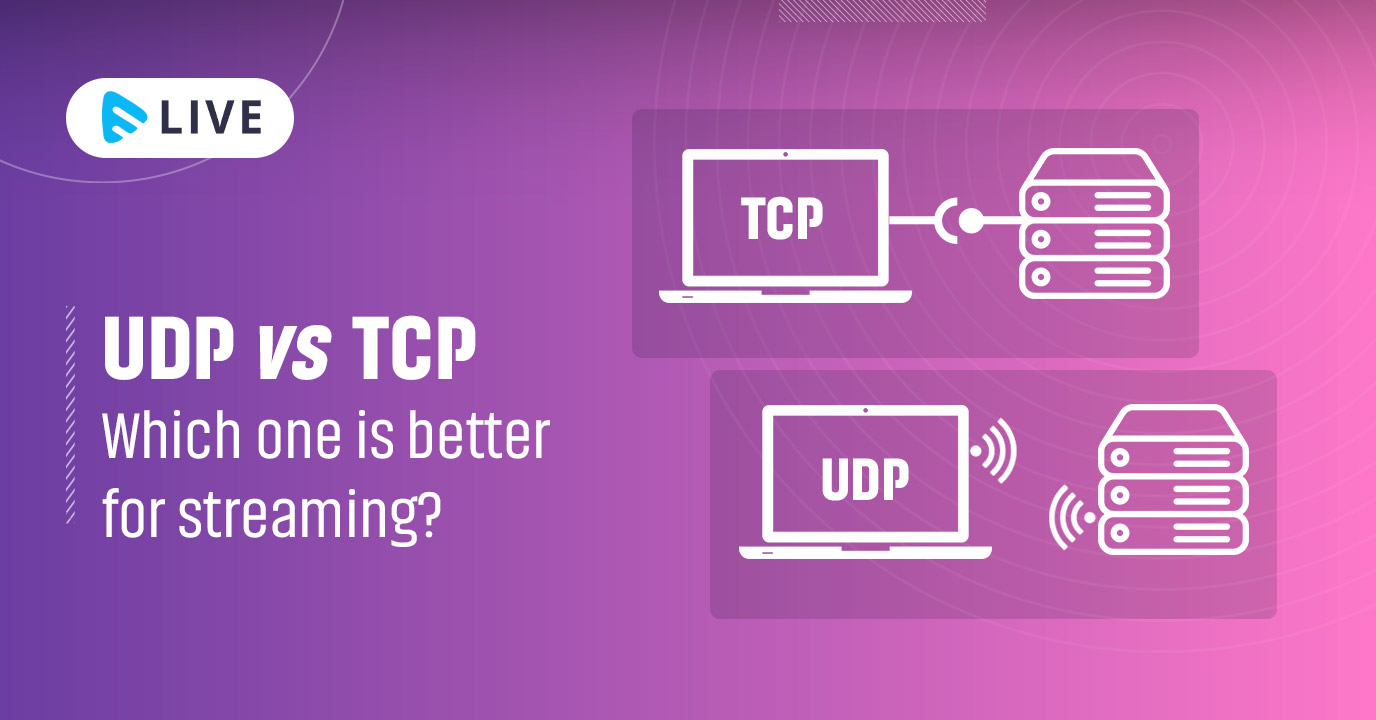
Every data packet that makes up a stream travels across the internet using one of two fundamental transport protocols: TCP or UDP. Understanding the difference is key to understanding why different types of streaming work differently.
TCP (Transmission Control Protocol)
TCP is the internet’s “reliable delivery” protocol. It works like a certified mail service — before any data is sent, a connection is established between sender and receiver. Every packet that’s sent receives an acknowledgment from the receiver. If a packet doesn’t arrive (or arrives corrupted), TCP automatically retransmits it.
Key characteristics:
- Guaranteed delivery — Every packet arrives, in the right order
- Error correction — Lost packets are retransmitted automatically
- Congestion control — Slows down transmission when the network is busy
- Higher latency — The acknowledgment/retransmission process adds delay
UDP (User Datagram Protocol)
UDP takes the opposite philosophy: fire and forget. Packets are sent without establishing a connection first, without acknowledgments, and without retransmission of lost packets. If a packet is lost, it’s gone — the stream simply continues with the next one.
Key characteristics:
- No guaranteed delivery — Packets may arrive out of order or not at all
- No error correction — Lost packets are abandoned
- No congestion control — Sends at maximum possible speed
- Ultra-low latency — No overhead from acknowledgments or retransmissions
The Hybrid Approach: QUIC
QUIC (Quick UDP Internet Connections), developed by Google and now standardized as the transport layer for HTTP/3, represents the best of both worlds. QUIC runs on UDP but implements its own sophisticated reliability mechanisms on top. It achieves:
- Faster connection establishment than TCP (0-RTT or 1-RTT vs. TCP’s 3-way handshake)
- Independent stream multiplexing (a lost packet in one stream doesn’t block others)
- Built-in encryption (TLS 1.3 baked in, not bolted on)
- Better performance on mobile networks where connections frequently change
YouTube has been one of the earliest adopters of QUIC/HTTP3, and other major platforms are rapidly following.
Quick Comparison
Feature | TCP | UDP |
|---|
Reliability | ✅ Guaranteed delivery | ❌ Best effort |
Latency | Higher (acknowledgments) | Lower (fire-and-forget) |
Packet ordering | ✅ Guaranteed | ❌ Not guaranteed |
Error correction | ✅ Automatic retransmission | ❌ None |
Bandwidth efficiency | Lower | Higher |
Best use case | VOD streaming, downloads | Live calls, gaming, VoIP |
7. How Is Streaming Different From Downloading?
People often use “streaming” and “downloading” interchangeably, but they represent fundamentally different approaches to accessing digital content. Understanding the distinction helps explain why you’d choose one over the other.
Aspect | Streaming | Downloading |
Definition | Content is delivered in real-time chunks and played instantly. | The entire file is transferred and stored before use. |
Storage Requirement | Requires minimal temporary storage. | Requires significant local storage space. |
Internet Dependency | Needs an active internet connection while watching/listening. | Can be accessed offline after download. |
Time to Start | Starts within seconds. | May take minutes or hours before playback. |
Content Ownership | Access depends on subscription and platform availability. | Downloaded files remain available unless restricted by DRM. |
Quality | Uses adaptive bitrate streaming based on bandwidth. | Can offer slightly higher consistent quality. |
Bandwidth Usage | Uses data continuously during playback. | Consumes all bandwidth upfront during download. |
Best For | Instant viewing, live events, limited storage devices. | Offline access, repeat viewing, travel situations. |
8. How Does Live Streaming Work?
Live streaming is where the technical complexity of streaming reaches its peak. Unlike pre-recorded VOD content that can be encoded leisurely and distributed from CDN caches, live streaming must capture, compress, and deliver content to potentially millions of viewers simultaneously — in real time.
The Live Streaming Pipeline
Stage 1: Capture A camera or video capture device records the event as it happens. This raw video is then fed into a computer or streaming device.
Stage 2: Encoding (On-Site) The captured raw video is immediately compressed by an encoder — either a hardware encoder (a dedicated device) or software encoder (applications like OBS Studio, Streamlabs, or XSplit).
Stage 3: Ingest (Contribution) The encoded stream is transmitted from the broadcaster’s location to the streaming platform’s ingest servers, typically using RTMP (Real-Time Messaging Protocol).
Stage 4: Transcoding (Cloud-Side) When the stream arrives at the platform’s ingest servers, it’s immediately transcoded into multiple quality levels (the bitrate ladder mentioned earlier) to support adaptive bitrate streaming.
Stage 5: Packaging and Delivery The transcoded streams are packaged into the appropriate format (HLS segments, MPEG-DASH segments, etc.) and pushed to CDN edge servers worldwide.
Stage 6: Playback Viewers around the world connect to their nearest CDN edge server and begin buffering and playing the stream.
The Latency Challenge
Every step in the live streaming pipeline introduces some delay. Encoding takes time. Transcoding takes time. CDN propagation takes time. Buffering (essential for ABR) takes time.
Different protocols target different points on the latency/reliability spectrum:
Protocol | Typical Latency | Use Case |
|---|
WebRTC | < 500ms | Video calls, interactive streams |
RTMP | 1–5 seconds | Broadcast contribution feeds |
Low-Latency HLS (LL-HLS) | 2–5 seconds | Live sports, events |
Standard HLS | 15–45 seconds | Traditional VOD, news |
MPEG-DASH with LL-DASH | 2–5 seconds | Live sports, events |
9. Future of Streaming
Streaming technology is evolving at a breathtaking pace. Let us have a look.
8K Streaming
While 4K streaming is still expanding globally, the industry is already moving toward 8K video delivery. Improvements in internet infrastructure, display technology, and advanced codecs like AV1 and H.266/VVC are making ultra-high-resolution streaming more achievable. However, widespread 8K adoption still depends on better support across cameras, encoders, CDNs, devices, and consumer displays.
AI-Powered Streaming Optimization
Artificial intelligence is transforming how streaming platforms optimize video delivery. AI-driven encoding helps allocate bandwidth more efficiently based on scene complexity, while predictive adaptive bitrate streaming minimizes buffering by anticipating network changes. AI is also improving video upscaling and content-aware compression, allowing platforms to deliver better quality streams at lower bandwidth consumption.
VR and AR Streaming
Virtual Reality (VR) and Augmented Reality (AR) streaming are creating demand for highly immersive, low-latency experiences. Technologies like foveated streaming use eye-tracking to prioritize resolution only where viewers are looking, significantly reducing bandwidth requirements. As AR devices become mainstream, streaming infrastructure will need to support ultra-low latency and real-time rendering capabilities.
5G and Edge Computing
The growth of 5G networks and edge computing is making high-quality mobile streaming faster and more reliable. 5G enables smoother 4K and future 8K mobile streaming with reduced latency, while edge computing processes content closer to users to improve delivery speed and reduce buffering. Together, these technologies are enabling applications like cloud gaming, live sports streaming, and real-time interactive experiences.
Interactive and Personalized Streaming
Streaming platforms are becoming more interactive and personalized. Features like multi-camera live sports viewing, AI-generated highlights, personalized recommendations, interactive storytelling, and synchronized co-watching experiences are reshaping how audiences engage with content. These innovations are helping platforms improve viewer engagement and retention.
Next-Generation Codecs
Advanced video codecs such as AV1 and H.266/VVC are improving compression efficiency, allowing platforms to deliver higher-quality video using less bandwidth. Better codecs help reduce streaming costs while supporting the growing demand for 4K, 8K, and HDR streaming experiences across devices.
The Evolution of Streaming Businesses
The streaming industry itself is evolving rapidly. Subscription fatigue is driving platforms toward ad-supported models, bundled services, live sports integrations, and hybrid monetization strategies. As competition increases, streaming providers are focusing more on personalization, exclusive content, and flexible pricing models to retain subscribers.
Conclusion
From RealAudio’s crackling radio streams in 1995 to Netflix delivering 4K HDR to 270 million subscribers worldwide, streaming has transformed how humanity accesses information, entertainment, and connection. And with AI optimization, 5G networks, VR streaming, and AV1 codecs on the horizon, we’ve only scratched the surface of what’s possible.
Whether through on-demand services or real-time broadcasts, streaming is here to stay, shaping how we connect with the world around us.
Start your 14-day free trial and take your first stream live sooner than you think
Have questions about streaming technology or want to explore a specific aspect in more depth? Talk to our Sales Team!



Add your comment