If you have spent weeks making a short film, recording a workshop, producing a fitness program, then you would want people to pay to watch it. The next step is figuring out where to sell it.
Building a website, setting up payments, hosting videos, and managing access can take time. Here is the good news: you can start selling individual videos online using a video monetization platform that already has these features built in. You can upload your content, set a price, share it with your audience, and earn money whenever someone purchases access.
In this guide, we will look at how to rent or sell individual videos online, what to consider when choosing a platform, and how Muvi TV helps creators get started.
What Does It Mean to Rent or Sell Individual Videos Online?
Renting or selling individual videos means charging viewers to access a specific piece of content. Instead of asking people to pay for an entire library, you let them pay for the video they want to watch.
This model works well for creators with a small collection of premium content. You could sell a documentary, a recorded masterclass, a stand-up comedy special, a dance performance, or a specialized training video.
There are two common ways to offer this content.
Video rental: Viewers pay a one-time fee to watch a video for a defined period. Depending on the platform, access may last for a few hours or several days.
Video purchase: Viewers pay a one-time fee to purchase access to a specific video, with access governed by the platform’s terms.
Both approaches fall under the broader pay-per-view (PPV) model. You decide which content to monetize and how much to charge, based on your audience and the value of your work.
For creators who produce individual videos rather than a large content library, pay-per-view offers a straightforward way to turn their work into a source of income.
Read More: Sell videos Online in 7 Simple Steps
Who Can Benefit From Selling Individual Videos?
Almost any creator with original, valuable video content can explore this model. Here are a few examples.
1. Independent filmmakers
Independent filmmakers can charge viewers to watch short films, documentaries, independent features, and festival releases. Each film becomes a separate product that viewers can discover and purchase.
2. Educators and trainers
Educators can sell recorded lectures, exam preparation videos, professional training sessions, and specialized lessons. A viewer interested in one particular topic can pay for that lesson directly.
3. Fitness instructors and coaches
Fitness professionals can offer individual workout videos, guided yoga sessions, dance classes, and specialized training programs. This gives viewers a way to purchase a session that matches their interests.
Read More: How To Build Your Streaming Yoga App?
How to Launch your own Health & Fitness Streaming Platform
4. Artists and performers
Musicians, comedians, dancers, and other performers can monetize recorded performances, exclusive shows, and special releases.
5. Businesses and industry experts
Businesses can sell product demonstrations, specialist training videos, recorded workshops, and educational content created for a specific audience.
The common thread is simple: you have something people are willing to pay to watch, and you want a practical way to sell access to it.
How to Rent or Sell Individual Videos Online: 6 Steps
Getting started becomes easier when you break the process into manageable steps.
Step 1: Choose the video you want to monetize
Start with one video that offers clear value to your audience.
It could be a documentary, a recorded workshop, a premium tutorial, or an exclusive performance. Think about who would pay to watch it and what they would gain from the experience.
You can also prepare a few supporting assets, such as a poster, a short trailer, a description, and a list of key topics covered in the video.
Step 2: Choose a platform for selling videos
Your platform should handle the core parts of the selling process: video hosting, playback, payment collection, and viewer access.
A dedicated video monetization platform brings these functions together in one place. You can manage your content and sales through a single dashboard while the platform handles the underlying streaming experience.
Look for features such as:
- A built-in video player and secure streaming
- Pay-per-view pricing
- Easy Payouts
- Payment processing and payouts
- A video page you can share with your audience
- Content protection features
- Sales and viewer analytics
For creators who want to launch quickly, a ready-to-use platform can make the process much simpler.
Check out Muvi TV for details on all pre built features including video player, easy payouts, PPV monetization, analytics and much more!
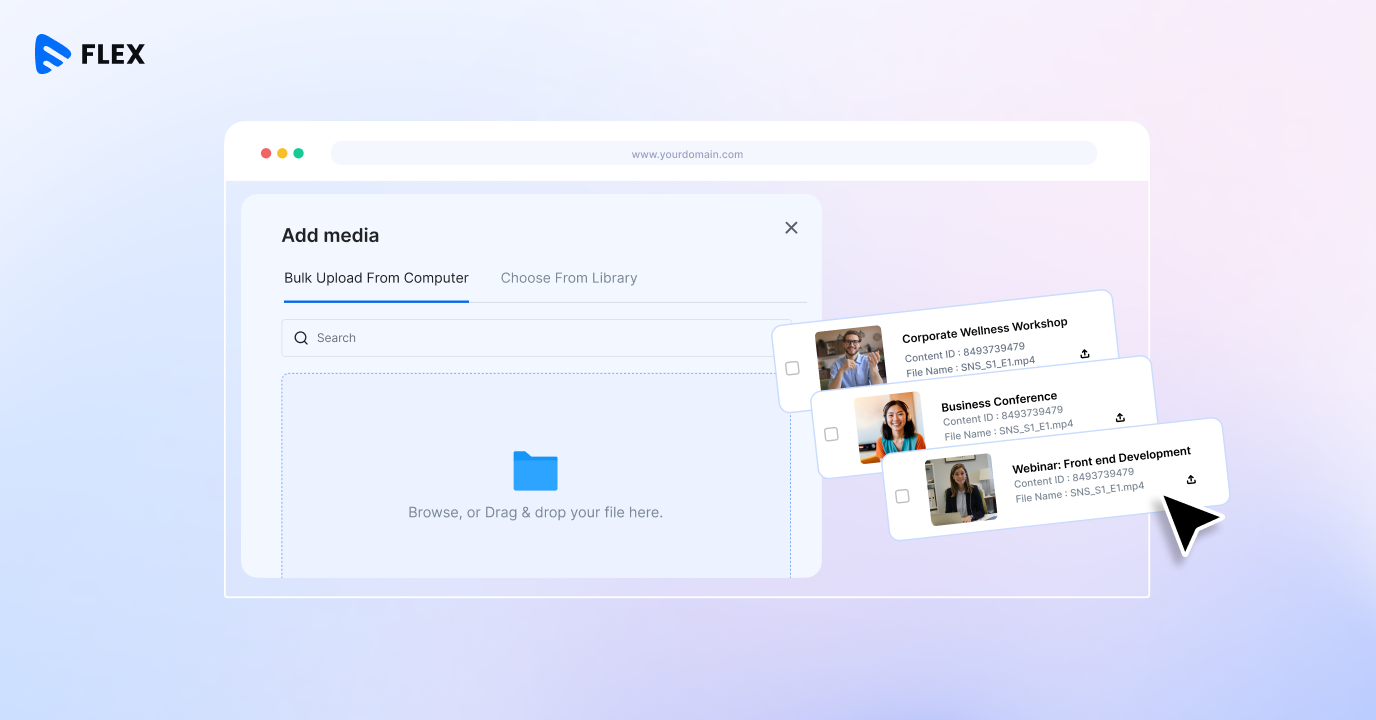
Step 3: Upload your video and add its details
Once you have selected a platform, upload your video and prepare its listing.
Give the video a clear title and write a description that explains what viewers will learn, experience, or enjoy. Add a poster image and a trailer where relevant.
A strong listing answers three questions: What is this video about? Who is it for? Why is it worth paying to watch?
For educational content, highlight the skills or knowledge viewers will gain. For a film, focus on the story, genre, and people behind it.
Step 4: Set your price
Your price should reflect the value of the content, your audience’s willingness to pay, and the cost of delivering each purchase.
For example, a specialized professional training session may command a different price from a short entertainment video. Research comparable content and test a price that feels appropriate for your audience.
Remember to account for platform fees, payment processing charges, taxes where applicable, and content delivery costs when estimating your earnings.
A simple revenue calculation can help:
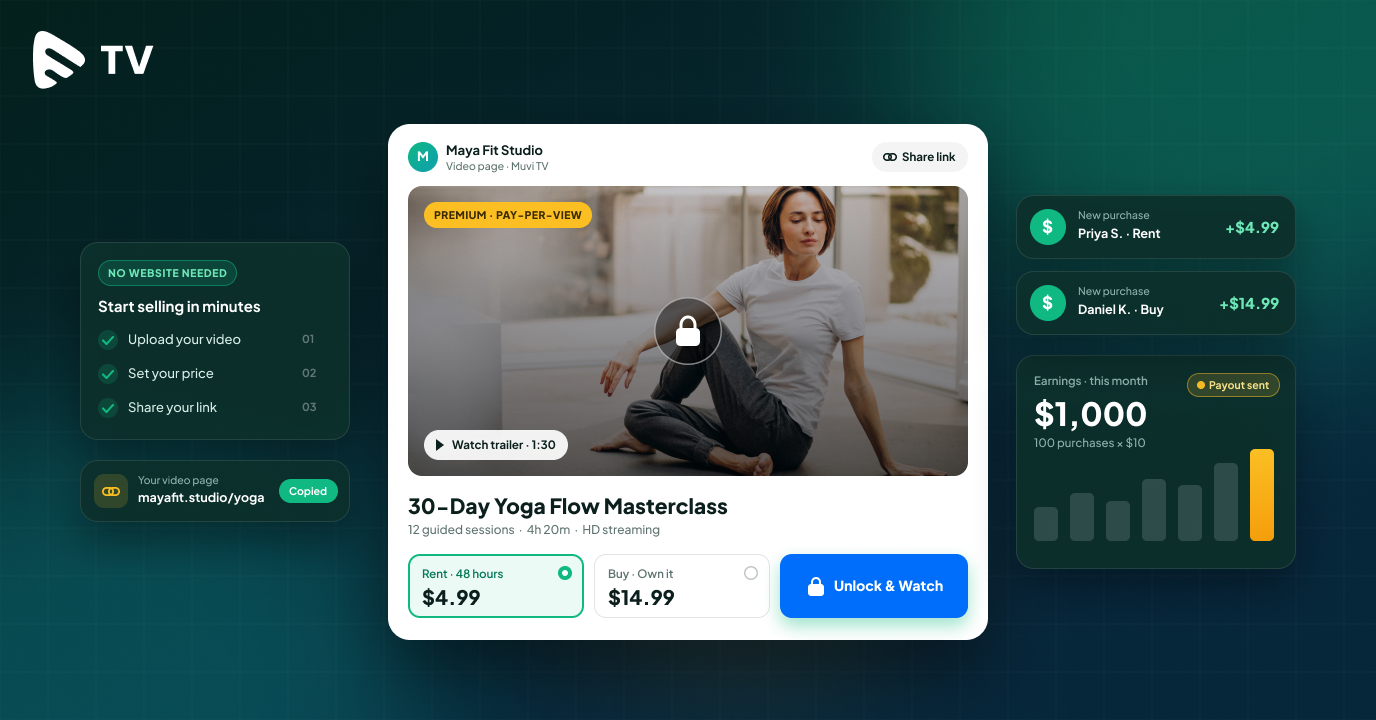
Gross revenue = Number of purchases × Price per video
For example, if 100 people purchase a video priced at $10, your gross sales total $1,000 before applicable fees and taxes.
As your sales grow, use your revenue reports to understand which videos perform well and where pricing adjustments may help.
Step 5: Publish your video and share it
Once your video is ready, publish its listing and share the link with your audience.
You can promote it through social media, email newsletters, your existing community, or your professional network. Filmmakers might share a trailer with film communities, while trainers can promote a video through their email lists and social channels.
Your promotional message should explain what makes the video valuable and give people a clear next step.
Step 6: Track sales and improve your offer
After publishing, review your sales and viewer activity. Look at the number of purchases, revenue generated, viewing duration, and the content attracting the most interest. These insights can help you understand your audience and plan future releases.
Earn 10X than YouTube! Calculate your Earnings here – Calculator
What Features Should You Look for in a Video Monetization Platform?
The right platform can make selling your content easier to manage as your audience grows. Here are the key features to consider.
Built-in video hosting and streaming
Choose a platform that handles video hosting, encoding, and playback. This gives viewers a smooth experience across supported devices and network conditions.
Pay-per-view monetization
Look for a straightforward way to set a price for each video and collect payments from viewers. A PPV model lets you monetize individual pieces of content based on their value.
A dedicated video page
A ready-made video page gives your content a place to live online. It can include the video title, poster, description, and purchase option, making it easier to share the content with potential buyers.
Payment processing and payouts
Check which currencies the platform supports, how payment processing works, and which fees apply. Transparent pricing helps you estimate how much revenue you can retain from each sale.
Content protection
Premium videos represent time, skill, and money invested in production. Features such as digital rights management (DRM) and watermarking help protect paid content and manage access.
Sales and audience analytics
Sales and viewing reports help you understand how people interact with your videos. Use this information to evaluate pricing, improve promotion, and identify opportunities for new content.
Sell Individual Videos Online With Muvi TV
For creators who want to monetize individual videos through a ready-to-use platform, Muvi TV brings video hosting, pay-per-view monetization, payments, and content protection together in one place.
It is designed for creators with a single video or a small collection of premium content, including independent filmmakers, educators, fitness instructors, artists, and industry experts.
Here is how Muvi TV supports the selling process.
- Upload and manage your content.
- Set your price.
- Share your video with potential buyers.
- Accept payments from viewers. Protect your premium content.
- Monitor your performance.
Muvi TV also includes a built-in video player, video encoding and transcoding, and a customizable front end. This gives creators a practical starting point for selling their content while the platform handles much of the streaming infrastructure.
How much does Muvi TV cost?
Muvi TV’s published pricing starts at $9 per month plus a 9% commission on sales, with additional usage-based fees and payment processing charges where applicable. The platform also offers a seven-day free trial, according to its current pricing page.
This pricing structure gives creators a way to get started with a dedicated video monetization solution and understand the costs involved as their sales grow.
You can explore the features and current pricing on the Muvi TV website.
Ready to monetize your videos? Start your free Muvi TV trial and explore how you can upload, price, and sell your individual videos online.
How to Promote Your Paid Videos and Get More Sales
Publishing your video is the beginning. The next step is helping the right people discover it.
Here are a few practical ways to promote your content.
Share a preview
Create a short trailer or teaser that highlights the most interesting part of your video. Share it on social media and direct viewers to the full version.
Use your existing audience
Email subscribers, social media followers, customers, and community members can be a valuable starting audience. Tell them what the video offers and why it may interest them.
Create content around your video
A filmmaker can publish a behind-the-scenes story. An educator can share a short lesson related to the paid video. A fitness instructor can post a sample workout.
These supporting pieces introduce your work to potential buyers and give them a reason to explore the full content.
Optimize your video page
Use a clear title, a relevant description, and an engaging poster image. Explain the value of the video and make the purchase option easy to understand.
Learn from your sales data
Review your sales and engagement reports regularly. Identify the channels that bring in buyers, the videos attracting the most interest, and the price points that work for your audience.
Use these findings to improve your next promotion.








Add your comment