70% of users abandon an app the moment it’s slow to load or crashes, and close to a third of mobile apps fail within their first 18 months — most of that damage traced back to what never got tested before launch. Muvi Onyx is designed to close that gap — by letting you preview your OTT app exactly as an end user would, before it ever reaches an app store.
This blog covers what Muvi Onyx actually is, how the preview OTT app process works, and why it’s become one of the most practical tools for streaming businesses building on Muvi One.
What Is Muvi Onyx?
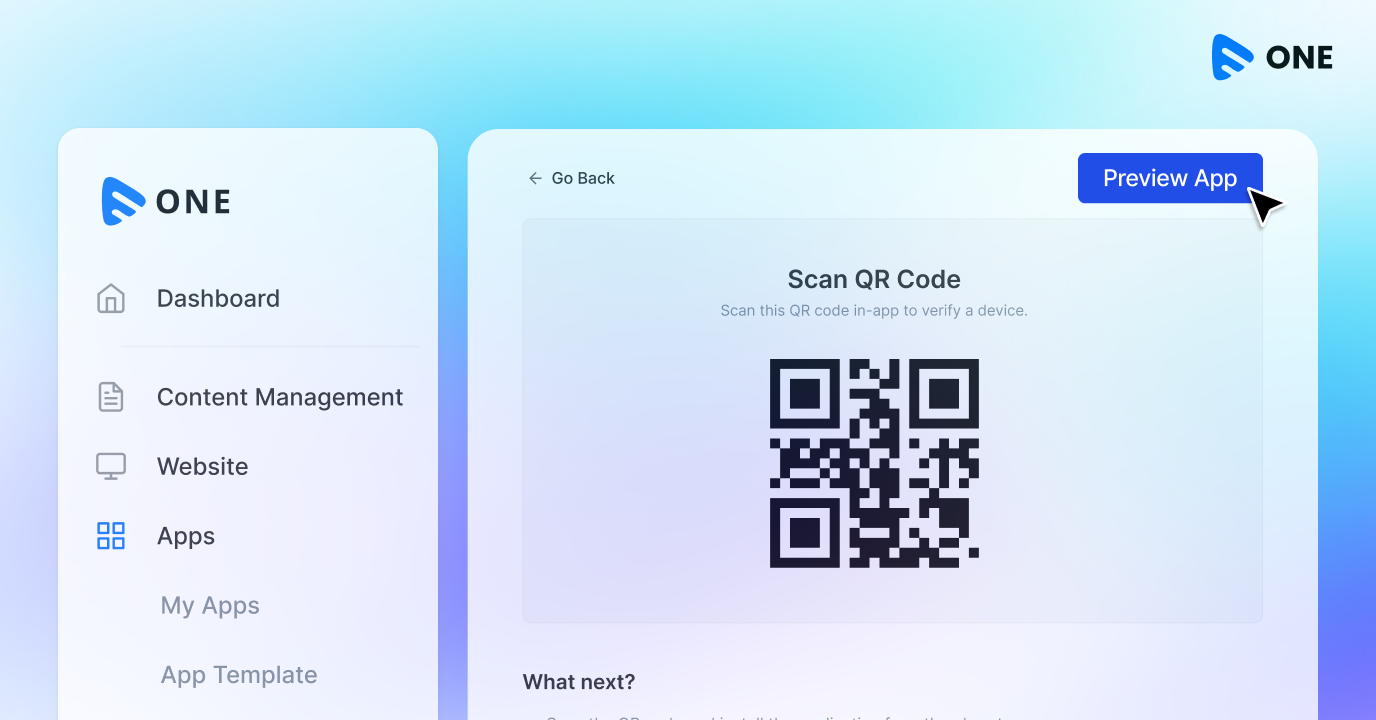
Muvi Onyx is Muvi’s patent-pending preview technology that lets you experience your mobile and TV streaming app in near real-time — before you publish it to any app store. Instead of waiting on staging builds, developer tickets, or a QA queue, you open the Muvi Onyx app, log in with your Muvi One CMS credentials, and interact with a production-quality version of your app exactly as your end users eventually will.
It’s not a mockup or a static wireframe. Onyx compiles a working version of your app with all standard functions active — user registration, login, content browsing, video and audio playback, and payment processing — so you can genuinely test the experience, not just look at it.
If you’re still deciding how your OTT app should be structured before you get to the preview stage, our guide on what OTT actually means and how the ecosystem fits together is a useful starting point.
See it before you ship it. Muvi Onyx gives you an instant, production-quality preview of your streaming app — no waiting, no developer dependency. Explore Muvi Onyx →
Why Previewing Your OTT App Before Launch Matters
Traditional app development follows a slow, expensive loop: build, submit to internal testers, collect feedback, send it back to developers, wait for a new build, repeat. For OTT platforms specifically, that loop is even more painful because there’s so much to verify beyond basic navigation — video playback quality, monetization flows, login behavior across devices, and content layout on screens as different as a phone and a 55-inch smart TV.
Skipping proper pre-launch testing is expensive. Industry data shows that a majority of app performance issues are discovered by users themselves after launch rather than caught internally beforehand — and a large share of app uninstalls trace directly back to crashes and performance failures that could have been caught earlier. For a streaming business, that translates to lost trial conversions, churned subscribers, and public one-star reviews that are hard to walk back.
This is exactly the layer Muvi Onyx sits in — it’s not a substitute for QA, but it removes the biggest bottleneck in OTT app testing: not being able to see and use your actual app until it’s already built, submitted, or live.
How Muvi Onyx Works
The process is intentionally simple:
- Build your app on Muvi One CMS. Customize your homepage, branding, content layout, and monetization settings.
- Open the Muvi Onyx app. It’s available on iOS, Android, Apple TV, Android TV, Samsung Tizen, and Roku.
- Log in with your Muvi One admin credentials. No separate account or setup required.
- Interact with your app like an end user. Browse content, play videos and audio, test registration and login, and even run through a purchase or subscription flow.
- Make a change in your CMS, then refresh Onyx. The updated version reflects in near real-time — no rebuild, no waiting on a new binary.
That last step is what makes Muvi Onyx genuinely different from a typical staging environment: changes made on the CMS side show up on the preview app almost immediately, which means your team can iterate on branding, layout, or content structure and see the real result within minutes, not days.
Update your CMS. Refresh Onyx. See it live. No rebuilds, no app store delays — just an instant preview loop that keeps your team moving. Start your 14-day free trial →
Key Features of Muvi Onyx
- Near real-time preview: CMS updates reflect in the Onyx app almost instantly, without a new build or deployment cycle.
- Production-quality experience: Every core function — registration, login, browsing, streaming, and payments — works exactly as it will for a live user.
- Cross-platform availability: Preview your app on iOS, Android, and major TV operating systems including Apple TV, Android TV, Samsung Tizen, and Roku.
- Real content, real playback: Upload or update content and test actual video/audio streaming quality within the preview, not a placeholder.
- No extra tooling: Log in with the same credentials used for your Muvi One CMS — there’s no separate testing account to manage.
Business Benefits of Previewing Your OTT App with Muvi Onyx
Faster decision-making. Stakeholders — whether that’s a founder, a content head, or an investor — can experience the actual app instead of reviewing screenshots or a written feature list, which shortens approval cycles significantly.
Fewer surprises at launch. Because Onyx uses production-quality functions rather than a simplified demo, issues with layout, content flow, or monetization setup surface while they’re still cheap and fast to fix — well before an app store submission.
Reduced dependency on developers for every tweak. Marketing and content teams can preview branding or homepage changes themselves, without opening a ticket and waiting on engineering bandwidth just to see how something looks.
Confidence before app store submission. App store review cycles can take days to weeks, and a rejected or buggy submission resets that clock. Testing thoroughly in Onyx first reduces the odds of a costly resubmission cycle.
If you’re weighing whether to build this kind of infrastructure yourself or launch on an existing platform, our breakdown of the real cost and timeline differences between building and buying an OTT platform explains why tools like Onyx are difficult and expensive to replicate in-house.
Skip the guesswork before you submit to app stores. Preview your fully branded streaming app on mobile and TV with Muvi Onyx — and launch with confidence. Get started with Muvi One →
Muvi Onyx vs. Traditional App Staging & Testing
A conventional staging environment for a mobile or TV app usually means a separate build, a device lab or simulator setup, and a QA cycle that runs independently of whoever owns the content and branding decisions. It works, but it’s slow — every meaningful change requires a new build, and non-technical stakeholders are often stuck reviewing static screenshots instead of the real thing.
Muvi Onyx compresses that cycle. Because it’s tied directly to your Muvi One CMS, there’s no separate build pipeline to manage — what you configure is what you preview, on the actual devices your app will eventually run on (including TV platforms like Android TV and Vidaa OS-powered TVs), not just a phone-sized simulation of one.
Who Should Use Muvi Onyx
- Streaming founders and product owners who want to validate the full user experience — including monetization — before committing to a public launch.
- Content and marketing teams who need to check branding, homepage layout, and content presentation without waiting on a developer for every preview.
- Businesses evaluating OTT platforms, who want to experience what their finished app would actually look and feel like before fully committing. It’s also a practical way to compare platform capabilities if you’re still shortlisting from the best OTT platforms and software available in the market.
- Teams preparing for app store submission, who want a final, realistic check across mobile and TV before starting the review process.
Getting Started with Muvi Onyx
Muvi Onyx comes built into the Muvi One ecosystem — there’s no separate purchase or setup process. Once you’re building your app on Muvi One’s CMS, you download the Onyx app on your device of choice, log in with your existing credentials, and you’re previewing your app immediately.
Your streaming app, previewed instantly — on mobile and TV. That’s the entire point of Muvi Onyx. Take a 14-day free trial of Muvi One →



Add your comment