Behind every seamless streaming experience is a sophisticated layer of technology that most viewers never think about: streaming APIs.
Whether you are a developer integrating video into a custom application, or a business owner trying to understand the difference between an OVP and a raw API — this guide is for you.
In this comprehensive guide, we will break down exactly what streaming APIs are, how they work, the different types available, how they compare to REST APIs and WebSockets, and how Muvi One helps businesses build world-class video experiences using both managed OVP solutions and flexible APIs. Let’s get started.
What Is a Streaming API?
A streaming API is a type of application programming interface designed to deliver continuous, real-time data — particularly audio and video — from a server to a client without requiring repeated requests. Unlike a traditional REST API, which works on a request-response model, a streaming API maintains an open connection and pushes data continuously as it becomes available.
In the context of video, a streaming API handles tasks like:
- Delivering encoded video segments to a player in real time
- Ingesting a live camera feed from an encoder into the cloud
- Generating adaptive bitrate (ABR) streams to match a viewer’s network speed
- Authenticating playback sessions and enforcing DRM licenses
- Reporting analytics events (buffer rate, bitrate switches, errors) as they happen
How Streaming APIs Work: The Technical Flow
When a viewer presses play on a video, here is what happens behind the scenes:
- The player sends a request to the streaming API with a video ID and an authentication token
- The API validates the request (checking subscriptions, DRM entitlements, geo-restrictions)
- It returns a manifest file — either an .m3u8 (HLS) or .mpd (MPEG-DASH) — that lists all available video segments and quality levels
- The player begins downloading segments, starting at a safe bitrate and adjusting in real time based on available bandwidth
- Analytics events fire continuously as the user watches, buffering data sent to the analytics API
Key difference from REST: A REST API would require the player to keep asking ‘What is the next segment?’ A streaming API pushes segments proactively, keeps the session alive, and adapts dynamically — all without the client constantly polling.
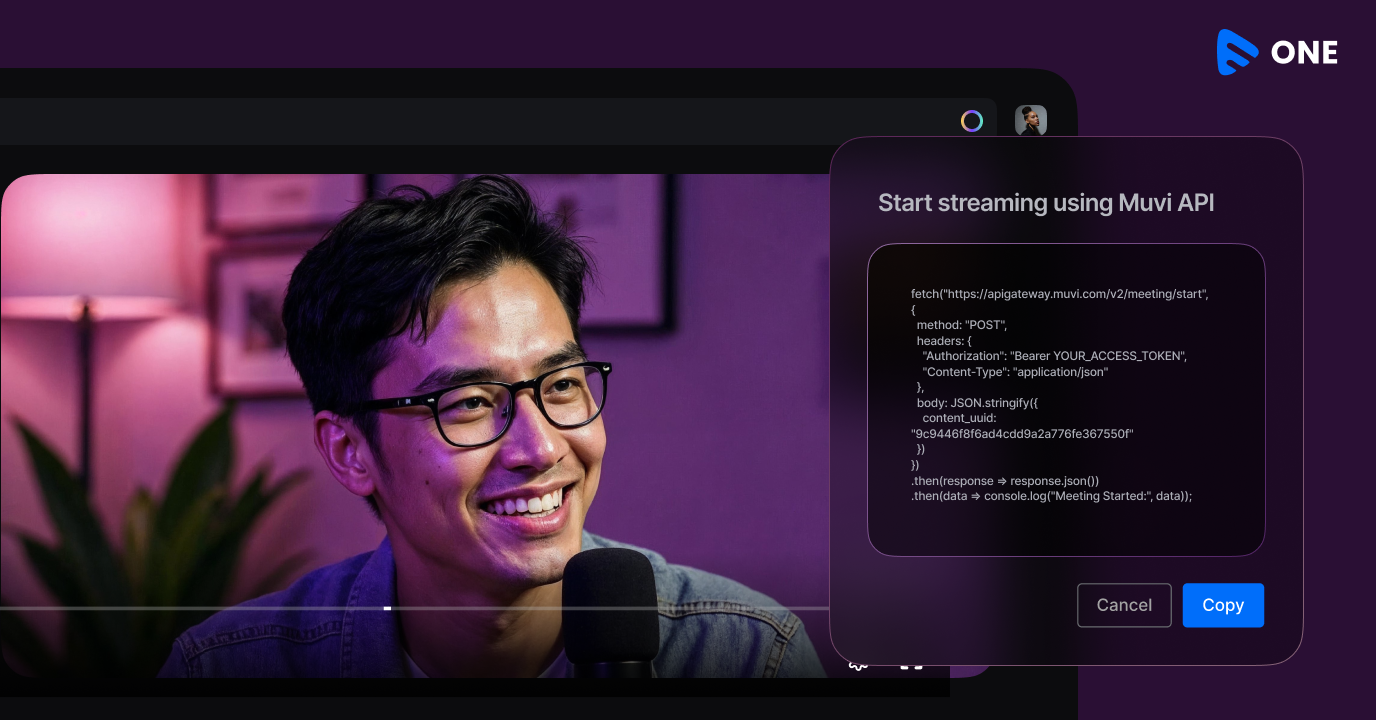
For more information, you can go through Muvi’s API documentation.
Types of Streaming APIs
‘Streaming API’ is an umbrella term. In practice, a complete video streaming stack is built from several distinct API categories.
API Type | Protocol | Best For | Example Use Case |
|---|
Video Delivery API | HLS / DASH | VOD & Live Streaming | OTT platform video playback |
Ingest API | RTMP / SRT / WebRTC | Capturing live video input | Encoder → cloud ingest |
Transcoding/Encoding API | REST + cloud jobs | Format conversion | Auto-generate 1080p, 720p, 480p |
DRM API | Widevine/FairPlay/PlayReady | Content protection | Prevent piracy on premium content |
CDN API | HTTPS edge delivery | Low-latency global delivery | Serving 10k+ concurrent viewers |
Analytics API | REST / Webhooks | Viewer behavior insights | Engagement, drop-off tracking |
Monetization API | REST / VAST / VPAID | Subscriptions, ads, PPV | SVOD/AVOD payment flows |
1. Video Delivery APIs
These are the most visible streaming APIs — the ones that actually get video from the server to the viewer’s screen. They serve HLS or MPEG-DASH manifests and handle adaptive bitrate (ABR) logic. CDN-backed delivery APIs ensure these segments are distributed globally with low latency.
Muvi One’s delivery infrastructure uses a multi-CDN architecture, automatically routing viewers to the nearest edge node.
2. Ingest APIs
Live streaming begins with ingest — capturing the raw video feed from a camera or encoder and pushing it into the cloud. Ingest APIs accept streams via RTMP, SRT, or WebRTC protocols. They handle reliability (packet loss correction with SRT), low-latency contribution, and handoff to the transcoding pipeline. If you are building a live streaming feature, your encoder (like OBS, Wirecast, or a hardware encoder) will call an ingest API endpoint.
Also Read: How Significant Is “RTMP Ingest” To The Live Streaming Landscape?
3. Transcoding and Encoding APIs
Raw video from cameras is not ready for streaming — it needs to be compressed, encoded into multiple quality levels (1080p, 720p, 480p, 360p), and packaged into the right formats. Transcoding APIs do this work. They accept an uploaded file or ingest stream and return a set of renditions.
4. DRM (Digital Rights Management) APIs
DRM APIs issue license keys to authorized players (via Widevine for Android/Chrome, FairPlay for Apple devices, and PlayReady for Microsoft). Without a valid DRM license, the video file — even if intercepted — cannot be decrypted and played.
Muvi One supports multi-DRM out of the box, eliminating the complexity of managing separate DRM servers.
5. CDN and Delivery Optimization APIs
A CDN API lets you programmatically manage how and where your video content is cached globally. You can purge cache, set TTLs, configure geo-blocking, and manage signed URL policies through CDN APIs.
6. Analytics APIs
Streaming analytics APIs capture real-time and historical playback data: Quality of Experience (QoE) metrics like buffering ratio, startup time, and bitrate, as well as engagement data like watch time, completion rate, and replay behavior.
7. Monetization APIs
Whether you run an SVOD, AVOD, TVOD, or hybrid model, monetization APIs handle subscription management, payment gateways, PPV access tokens, and ad server integration (VAST/VPAID/SSAI).
Read More: Encoding Ladders
How Muvi Optimizes ABR Encoding
Streaming API vs REST API vs WebSocket: What’s the Difference?
One of the most common points of confusion for developers evaluating their tech stack is the difference between a streaming API, a REST API, and a WebSocket.
Feature | REST API | WebSocket | Streaming API |
|---|
Connection | Request/response | Persistent, bidirectional | Persistent, server-to-client |
Data Flow | Pull (client-initiated) | Push & pull | Push (server-initiated) |
Latency | High (new connection per request) | Very low | Low to medium |
Use Case | CRUD operations, metadata fetch | Chat, real-time gaming | Video delivery, live events, feeds |
Scalability | Easier to scale | Harder at scale | CDN-backed, highly scalable |
Video Suitable? | No (too slow for media) | Partial (low-latency live) | Yes (purpose-built) |
Protocol | HTTP/HTTPS | ws:// / wss:// | HLS, MPEG-DASH, RTMP, WebRTC |
When to Use Each
REST API: Use it for non-real-time operations — fetching video metadata, managing user accounts, creating upload jobs, or querying analytics dashboards.
WebSocket: Best for truly bidirectional, interactive real-time communication — live chat during a stream, interactive polling, or multiplayer gaming.
Streaming API: Purpose-built for continuous media delivery. When you need to push video segments, live event data, or real-time telemetry from server to client at scale.
Important note: Many video platforms use all three simultaneously. REST APIs manage content and users. Streaming APIs deliver video. WebSockets power real-time chat or interactive overlays.
OVP vs Streaming APIs: Which One Do You Actually Need?
When businesses first start exploring video infrastructure, they often encounter two different types of solutions: Online Video Platforms (OVPs) and standalone streaming APIs. Understanding the difference is critical before committing to a technology stack.
What Is an Online Video Platform (OVP)?
An OVP is an end-to-end managed platform that bundles all the components of a streaming stack — encoding, CDN delivery, DRM, a video player, analytics, and monetization — into a single product with a UI. You upload your video, the platform handles everything, and you embed a player on your website or app. Think of it as the ‘all-in-one’ solution, just like Muvi One.
What Are Standalone Streaming APIs?
Standalone streaming APIs give developers direct access to individual streaming capabilities — encoding, delivery, DRM, analytics — as programmable services. There is no UI; you build your own front-end and orchestrate the backend through API calls. This approach offers maximum flexibility but requires more engineering effort.
Factor | Online Video Platform (OVP) | Streaming APIs (Standalone) |
|---|
Definition | All-in-one platform for video management, delivery, and monetization | Modular endpoints for specific streaming functions |
Setup Complexity | Low — managed UI, plug-and-play | Higher — requires developer integration |
Customization | Limited to platform features | Full control over UI, logic, and data |
Built-in Tools | Encoding, CDN, player, DRM, analytics, monetization | Only what you integrate |
Cost Model | Subscription / per-seat licensing | Pay-per-use / usage-based |
Speed to Market | Fast — launch in days | Slower — build and test required |
Scalability | Platform-managed | Developer-controlled |
Best For | Media companies, enterprises, non-technical teams | Dev teams building custom OTT/streaming products |
Muvi Fit | Muvi One — launch your OTT without code | Muvi APIs — embed streaming in your own app |
Muvi gives you both worlds: Muvi One as a no-code/low-code OVP for businesses that want to launch fast, and Muvi APIs for development teams that want to embed streaming capabilities directly into custom-built products.
The Hybrid Approach: OVP + APIs
Increasingly, the smartest architecture is a hybrid: use an OVP for core management (upload, transcode, organize, monetize) while leveraging APIs to customize the viewer-facing experience. For example, a media company might use Muvi One’s platform for content management and monetization, while building a completely custom mobile app UI powered by Muvi’s APIs — getting the best of both worlds.
Video SDKs vs Streaming APIs: Understanding the Difference
SDK and API — two terms often used interchangeably in the streaming world, but they represent very different things. Understanding this distinction will save you significant development time and help you architect your product correctly from day one.
Criteria | Video SDK | Streaming API |
|---|
What It Is | Prebuilt libraries for platform-specific integration | Backend service endpoints for streaming functions |
Layer | Client-side (iOS, Android, Web, Smart TV) | Server-side or cloud-based |
Primary Function | Video playback, UI components, DRM decryption | Encoding, delivery, transcoding, DRM licensing |
Who Uses It | Mobile & front-end developers | Backend & DevOps engineers |
Language Specific? | Yes — Swift, Kotlin, JS, etc. | No — language-agnostic HTTP calls |
Examples | Muvi Player SDK, ExoPlayer, AVFoundation | Muvi Streaming API, AWS MediaConvert, Mux |
Typical Output | Embedded player with controls, captions, ads | Encoded video file, signed URL, token, metadata |
Used Together? | Yes — SDKs often call streaming APIs under the hood | Yes — APIs power what SDKs render |
Neither the SDK nor the API alone is sufficient, The API provides the streaming infrastructure and the SDK provides the interface to interact with it on each device.
Key Streaming Protocols You Need to Know
Streaming APIs communicate using specific protocols designed for media delivery. Choosing the right protocol for your use case dramatically affects latency, quality, and compatibility.
Protocol | Latency | Adaptive? | Use Case | Device Support |
|---|
HLS (HTTP Live Streaming) | 6–30 sec | Yes (ABR) | VOD, live, OTT | iOS, Android, Web, Smart TV |
MPEG-DASH | 6–30 sec | Yes (ABR) | OTT, DRM-protected content | Android, Web, Smart TV |
RTMP | 1–5 sec | No | Live ingest / broadcast | Encoders → Media servers |
WebRTC | <500ms | No | Interactive live, video calls | Browser, mobile |
SRT (Secure Reliable Transport) | ~100ms | No | Low-latency contribution | Broadcast / pro encoders |
LL-HLS / LL-DASH | 2–5 sec | Yes | Sports, news, low-latency live | Web, iOS, Smart TV |
HLS vs MPEG-DASH: The Great Debate
HLS developed by Apple, has been the dominant format for OTT delivery for years, primarily due to native iOS support. MPEG-DASH is the international standard, codec-agnostic, and preferred by Android and connected TV ecosystems.
Most modern streaming APIs — including Muvi One’s — output both HLS and MPEG-DASH automatically, with players selecting the appropriate format based on the client device. This multi-format approach eliminates the need to choose.
Building Custom Video Experiences with Streaming APIs
The power of streaming APIs goes beyond simply delivering video. They enable genuinely differentiated, custom viewer experiences that OVP-only approaches cannot replicate.
Personalized Video Recommendations
By integrating your analytics API data with a recommendation engine, you can deliver personalized content carousels. APIs make this possible because you own the data pipeline.
Multi-CDN Failover and Adaptive Routing
Enterprise-grade streaming uses streaming APIs to switch CDN providers in real time based on performance metrics. If one CDN degrades in a specific region, the delivery API automatically reroutes traffic. This is possible when you have API-level control over delivery infrastructure.
Interactive Live Streaming
By combining a streaming API (for video delivery) with a WebSocket layer (for real-time bidirectional communication), you can build interactive live experiences: live polls appearing over video, real-time Q&A, synchronized watch parties, etc
Custom Monetization Logic
Monetization APIs let you implement pricing logic that off-the-shelf OVPs simply cannot handle: dynamic pricing based on geography or demand, bundle subscriptions across multiple content libraries, or pay-per-minute billing for premium live events.
White-Label Multi-Tenant Platforms
If you are building a platform where multiple content publishers each have their own branded sub-platform, streaming APIs are essential. You can programmatically provision new tenants, configure per-tenant branding and player settings, enforce per-tenant DRM and monetization rules, and aggregate analytics at the platform level — all through API calls.
Streaming API Use Cases Across Industries
Streaming APIs power video experiences across virtually every vertical. Here are some of the most impactful implementations:
OTT and Media Entertainment
OTT platforms like Netflix, Disney+, and thousands of regional streaming services are built on sophisticated streaming API stacks. They use encoding APIs to process vast content libraries, delivery APIs to serve billions of streams globally, and analytics APIs to optimize QoE in real time.
Education and E-Learning
EdTech platforms use streaming APIs to deliver recorded lectures, live virtual classes, and interactive course materials. DRM APIs protect premium course content, while analytics APIs help instructors understand engagement
Live Sports and Events
Sports broadcasters require the lowest possible latency for live events, combined with massive concurrency during peak moments. LL-HLS and WebRTC-based ingest APIs are purpose-built for this. Streaming APIs also enable real-time statistics overlays, multi-camera angle switching, and clip-on-demand generation directly from the live feed.
Enterprise Video and Internal Communications
HR departments use streaming APIs to power internal all-hands broadcasts, training video libraries, and town halls.
Healthcare and Telemedicine
Secure, low-latency video streaming APIs power telemedicine consultations, medical training content libraries, and patient education portals — all requiring strict HIPAA-compliant access control, encryption, and audit logging.
Why Muvi One for Your Streaming API Stack
Muvi One is purpose-built for businesses that take video seriously. Whether you are launching a new OTT platform from scratch or embedding professional-grade streaming into an existing product, Muvi One provides the infrastructure, APIs, and SDKs to make it happen.
What Muvi One Brings to Your Streaming Stack
- Multi-CDN global delivery with automatic failover and edge optimization
- Cloud transcoding APIs that generate HLS and DASH outputs with per-title encoding
- Multi-DRM support (Widevine, FairPlay, PlayReady) with a unified license server API
- Real-time analytics APIs tracking QoE, engagement, and revenue metrics
- Comprehensive monetization APIs supporting SVOD, AVOD, TVOD, and hybrid models
- Native SDKs for iOS, Android, Roku, Apple TV, Fire TV, Smart TVs, and the Web
- Muvi One — a no-code OVP for teams that want to launch without engineering overhead
- Muvi APIs — full programmatic access for development teams building custom experiences
Muvi One’s API-first architecture means you are never locked into a specific front-end. Use our player SDK, or build your own player on top of our streaming infrastructure — the choice is yours.
Conclusion
Streaming APIs are the invisible backbone of every great video experience on the internet. Understanding what they are, how they differ from REST APIs and WebSockets, and how to choose between an OVP and API-first approach is foundational knowledge for anyone building in the video space today.
Building the right streaming architecture for your product starts with understanding these building blocks. Muvi One makes it possible to move from that understanding to a production-ready video experience — whether you need a fully managed OVP or a powerful, flexible API layer.
Ready to build? Explore Muvi One’s streaming APIs and OVP solutions to find the right fit for your video product.
Take a 14-Day Free Trial to get better clarity!



Add your comment